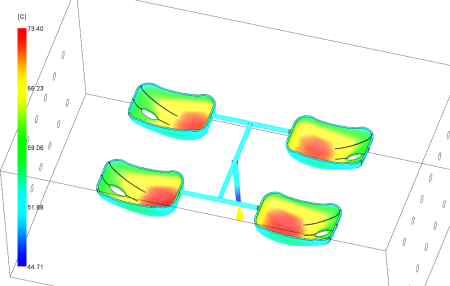
In this tutorial, you set up and run a finite element method (FEM) cooling analysis on a 4-cavity tool on the computer mouse cover. The FEM cooling analysis calculates both steady state and transient mold temperatures. Steady state is an average mold temperature. With transient, the mold temperature changes over time. In this tutorial, you run a steady state analysis.
 Download the files for this tutorial from
Autodesk Knowledge Network-New User Quick Start tutorial.
Download the files for this tutorial from
Autodesk Knowledge Network-New User Quick Start tutorial.
In this tutorial, you will do the following:
-
Create a project
-
Import a study
-
Set the analysis sequence
-
Create the cooling lines
-
Create the mold boundary
-
Create the tetra mesh for the mold
-
Input the process settings and run the analysis
-
Review results