Arnold for 3ds Max 5.9.0 plug-in
Updates to MaxtoA since 3ds Max 2026.3 include lightweight USD instancing, a new hair scattering mode, more flexible light sampling, and other enhancements and bug fixes.
Arnold for 3ds Max (MAXtoA) 5.9.0 plug-in uses Arnold 7.5.0.0 and includes a new Inference imager, performance improvements in Global Light Sampling and in GPU volumes, and other enhancements and bug fixes.
Highlights
- Performance improvements, including lightweight USD instancing, improved Global Light Sampling, mip-mapped CPU volumes, faster GPU volume rendering, and faster TX file processing.
- New hair scattering mode; new line and nearest_points shaders; Improved OpenPBR Surface thin film.
- More flexible light sampling; light blockers with negative density.
- Bloom aperture mode and color dispersion.
- GPU enhancements include NVIDIA Blackwell support, more efficient instancing, and motion vector shader support.
- Arnold for 3ds Max now includes live Render Reports in the Arnold Render View.
Performance Enhancements
Lightweight USD instancing
Arnold now renders USD instances through a lightweight instancing system that creates fewer Arnold nodes. Instancing is now more memory efficient and time to first pixel is faster, because the scene is quicker to initialize. For example, in the Intel Jungle Ruins scene, the time to first pixel is 85% faster, and the memory usage is 42% lower. usd#2459
Support for mip-mapped OpenVDB files on CPU
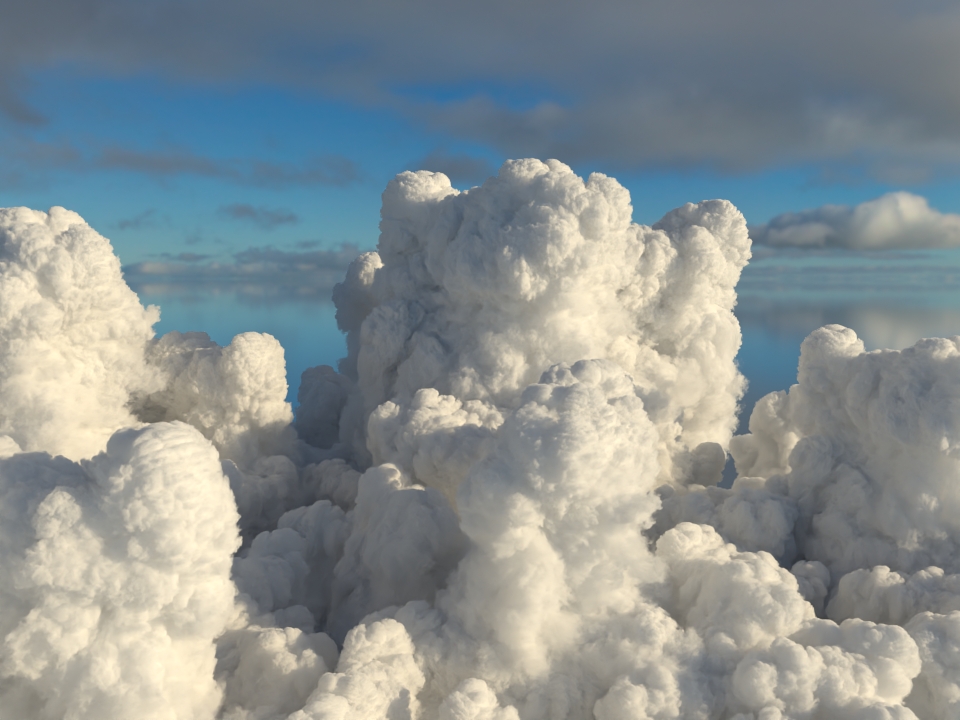
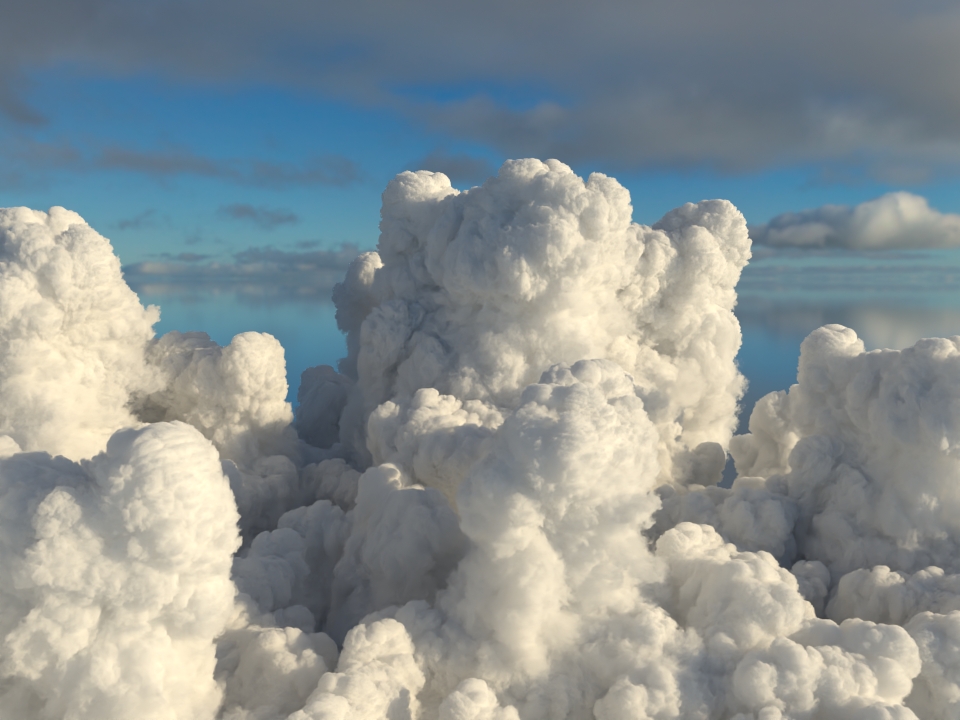
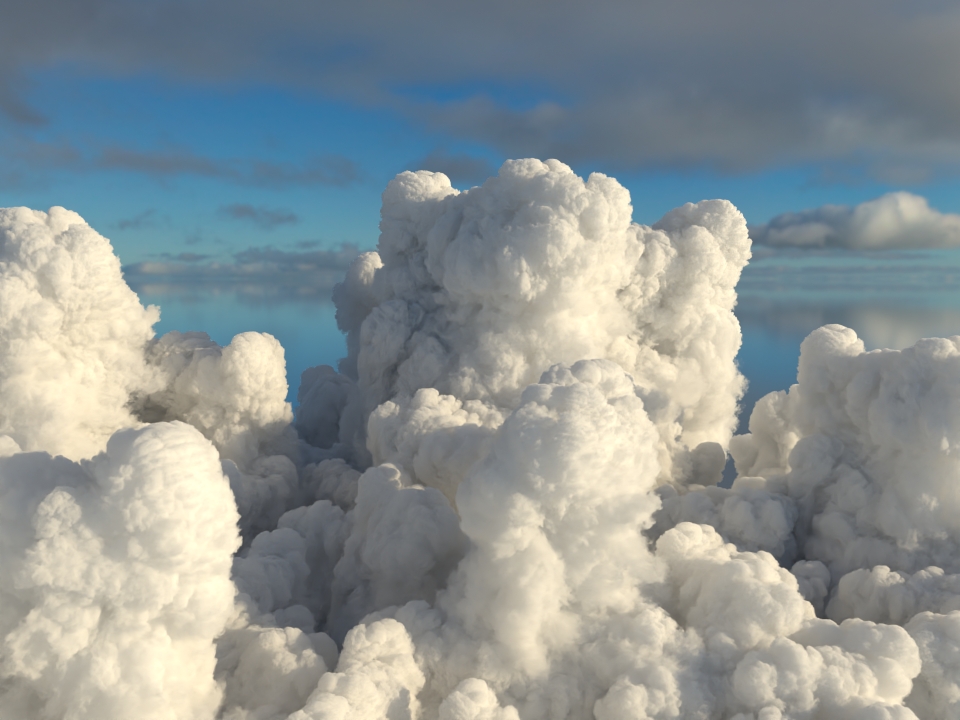
The volume node now accepts OpenVDB files with mip-mapped grids. The different mip-map levels are distinguished by _level_N suffixes, where N is the mip-map level. Arnold then automatically chooses the appropriate mip-map level during rendering, which gives substantial speedups in volumes with a lot of scattering (for example, clouds) in exchange for mostly small differences in look. Volumes with more mip-map levels can have larger differences in look. Users can also specify mipmap_bias on a volume node or on its instance (by declaring user data of the same name), which adjusts the automatic mipmap selection by that amount. (ARNOLD-14453, ARNOLD-15056)
You can generate mip-mapped volumes either with the Arnold API, or with kick. The Arnold API includes a new AiVolumeFileMakeLODs function. kick has a new -makevolumelods command-line flag. Both the API and the kick flag take three arguments: the input file, the output file, and the maximum number of levels to generate. The actual number of levels generated maybe lower than the number requested. (ARNOLD-16921)
| wdascloud | byc-cloud | composition 1 | composition 2 | sunset clouds | |
| original volume | 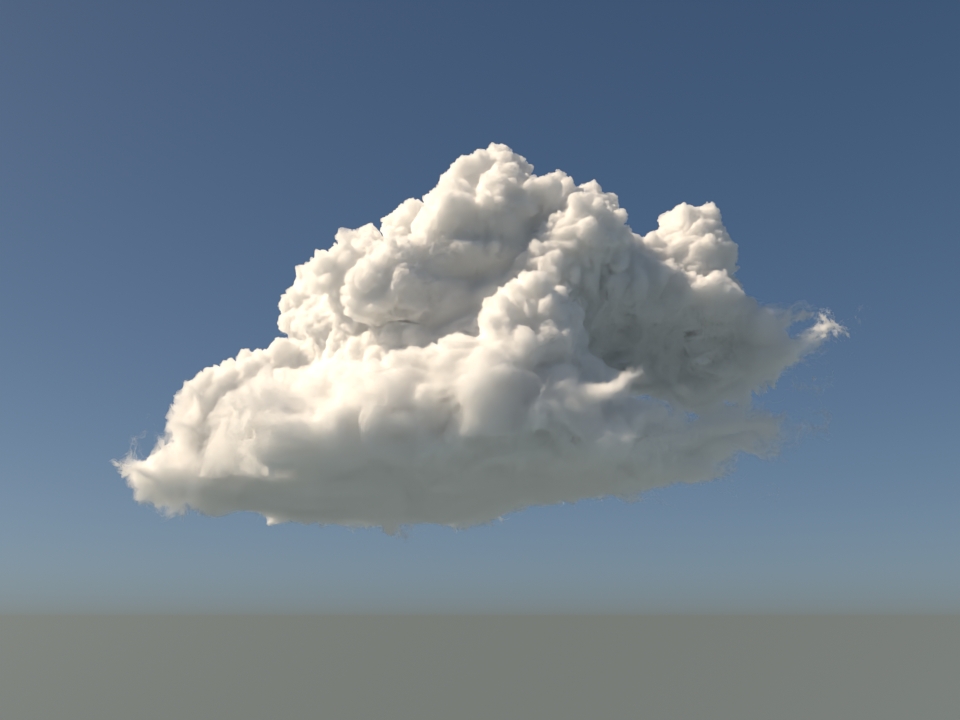 |
 |
 |
 |
 |
| mip-mapped volume (3 levels) | 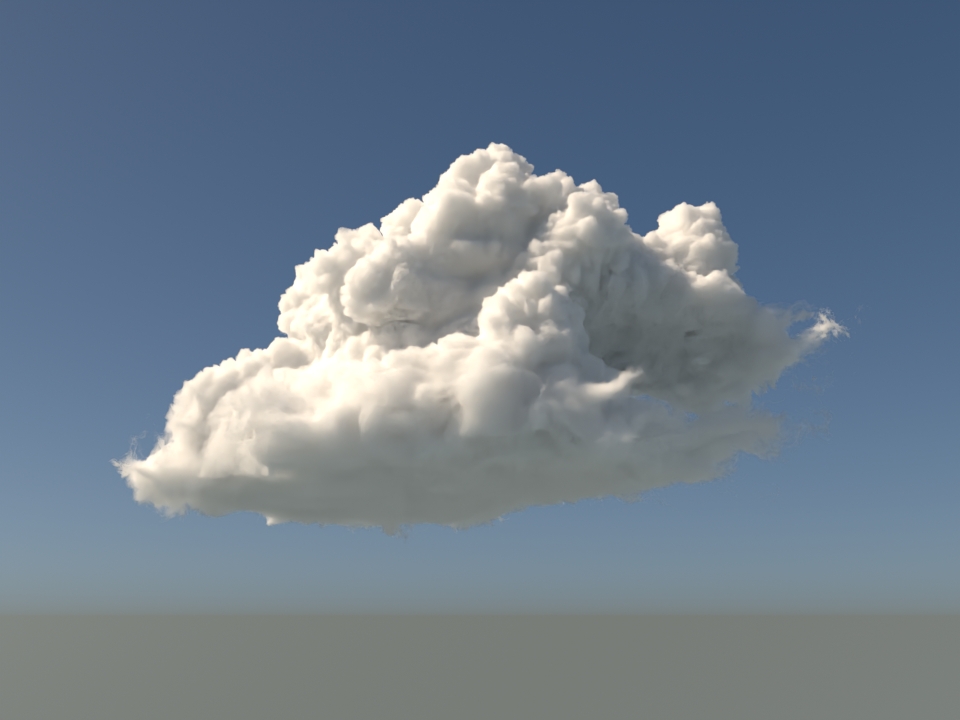 |
 |
 |
 |
 |
| Speedup | 1.5x | 1.9x | 2.6x | 2.1x | 1.8x |
| mip-mapped volume (6 levels) | 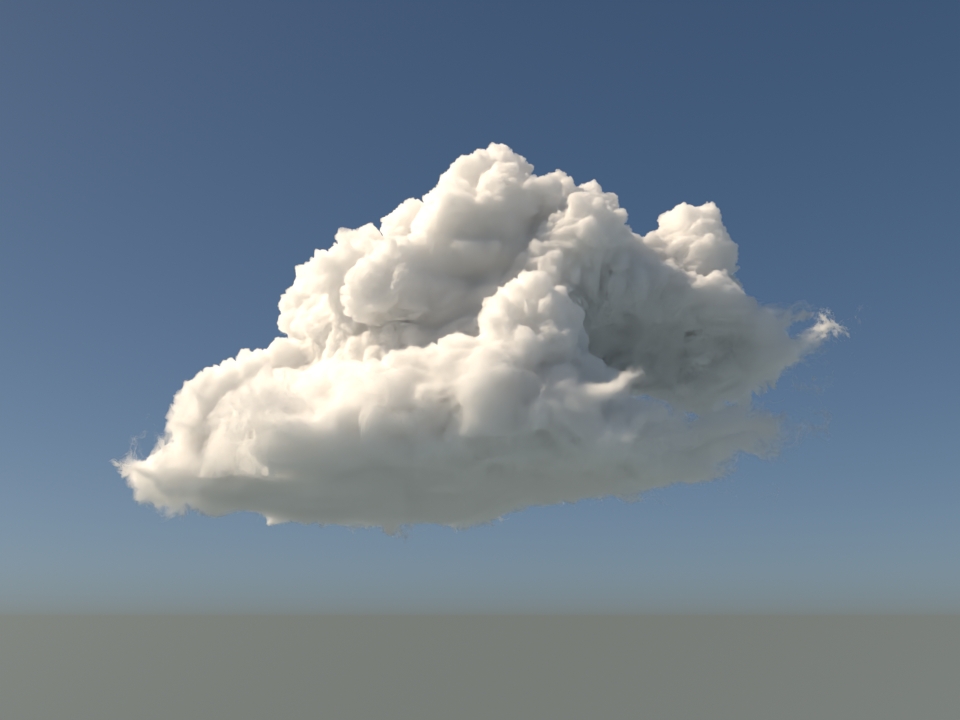 |
|
 |
 |
 |
| Speedup | 2.0x | 2.8x | 5.2x | 3.2x | 2.7x |
Improved GPU volume rendering performance
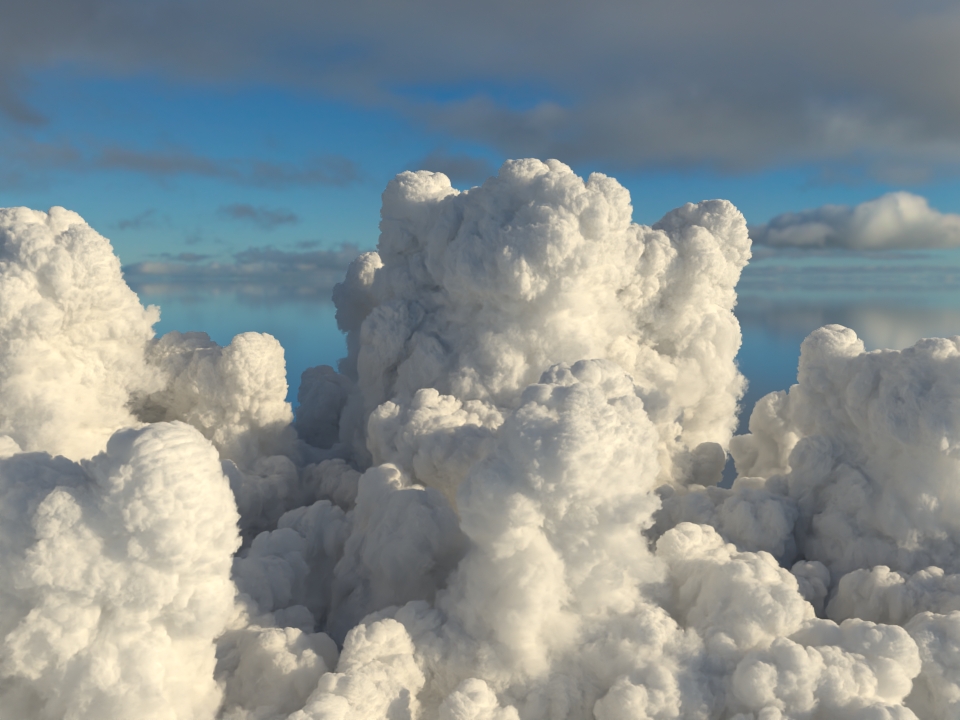
GPU rendering of volumes is up to 3.5x faster. (ARNOLD-8936)
| wdascloud | byc-cloud | composition 1 | composition 2 | sunset clouds | |
|
 |
 |
 |
|
|
| Speedup | 2x | 1.12x | 3.7x | 3.5x | 1.31x |
Increased Global Light Sampling (GLS) robustness and added support for light spread
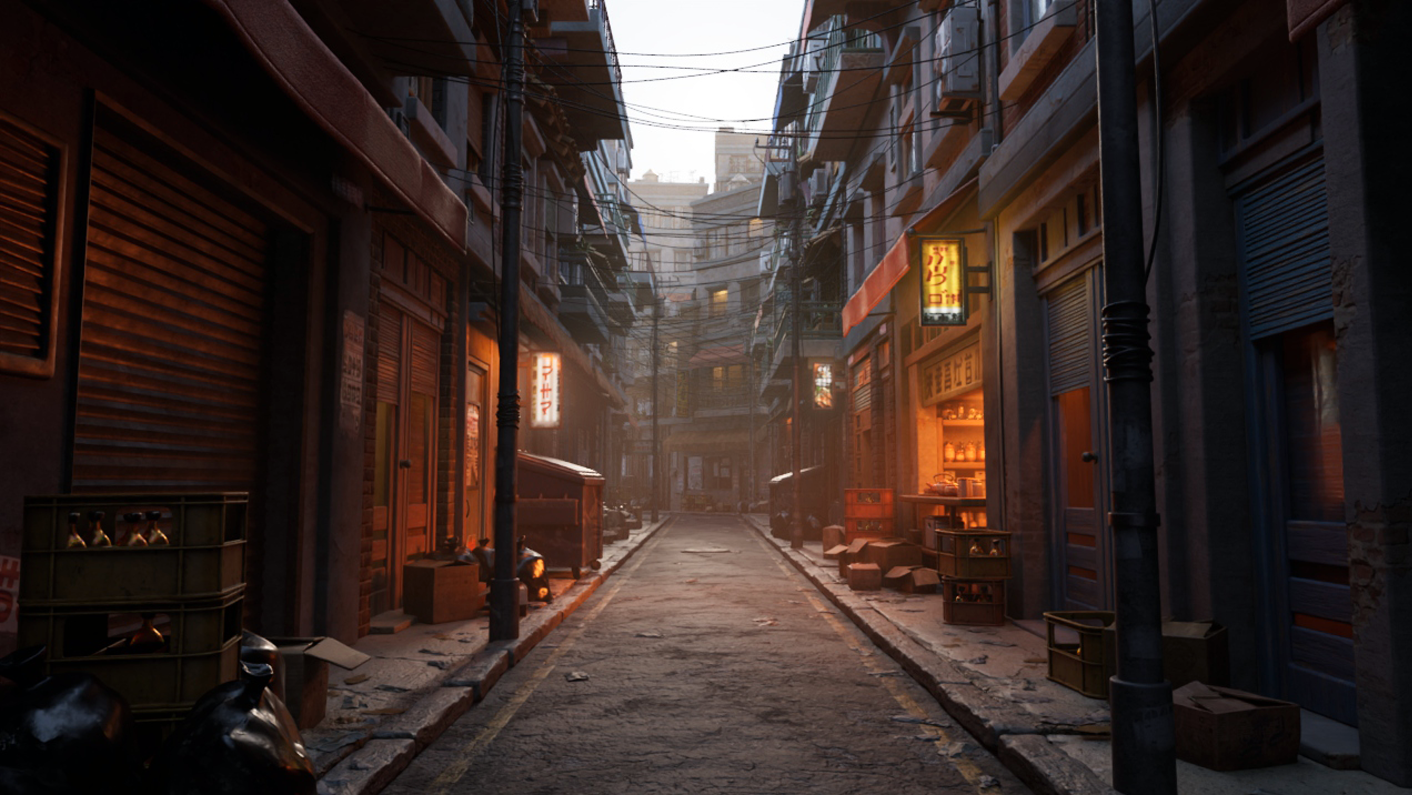
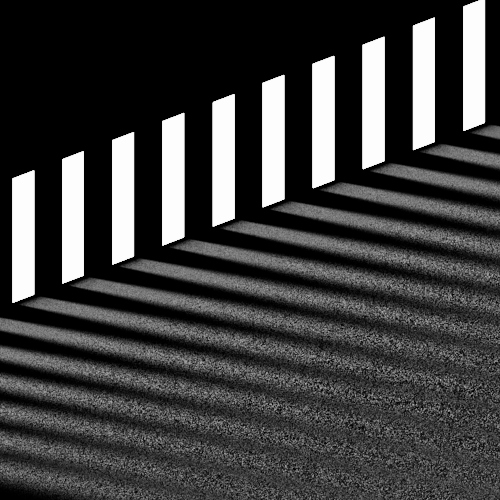
GLS is now more robust, and GLS takes the spread parameter of quad and disk lights into account. This typically reduces noise when lights have a narrow spread, or the spread is close to the light edges. We have observed up to 6x faster renders in some test scenes with especially tricky lighting. In the below back-alley scene, which has a more common lighting setup with some lights with a spread, this gives a 1.4x-faster render. (ARNOLD-13684, ARNOLD-16610 and ARNOLD-16551)
1.4x faster than 7.4.3
 |
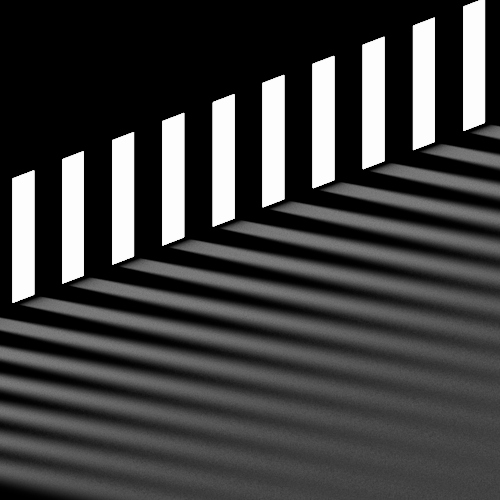 |
| 7.4.3.2 | 7.4.4.0 (same number of samples as 7.4.3.2) |
Improved performance when auto-generating or using existing TX files
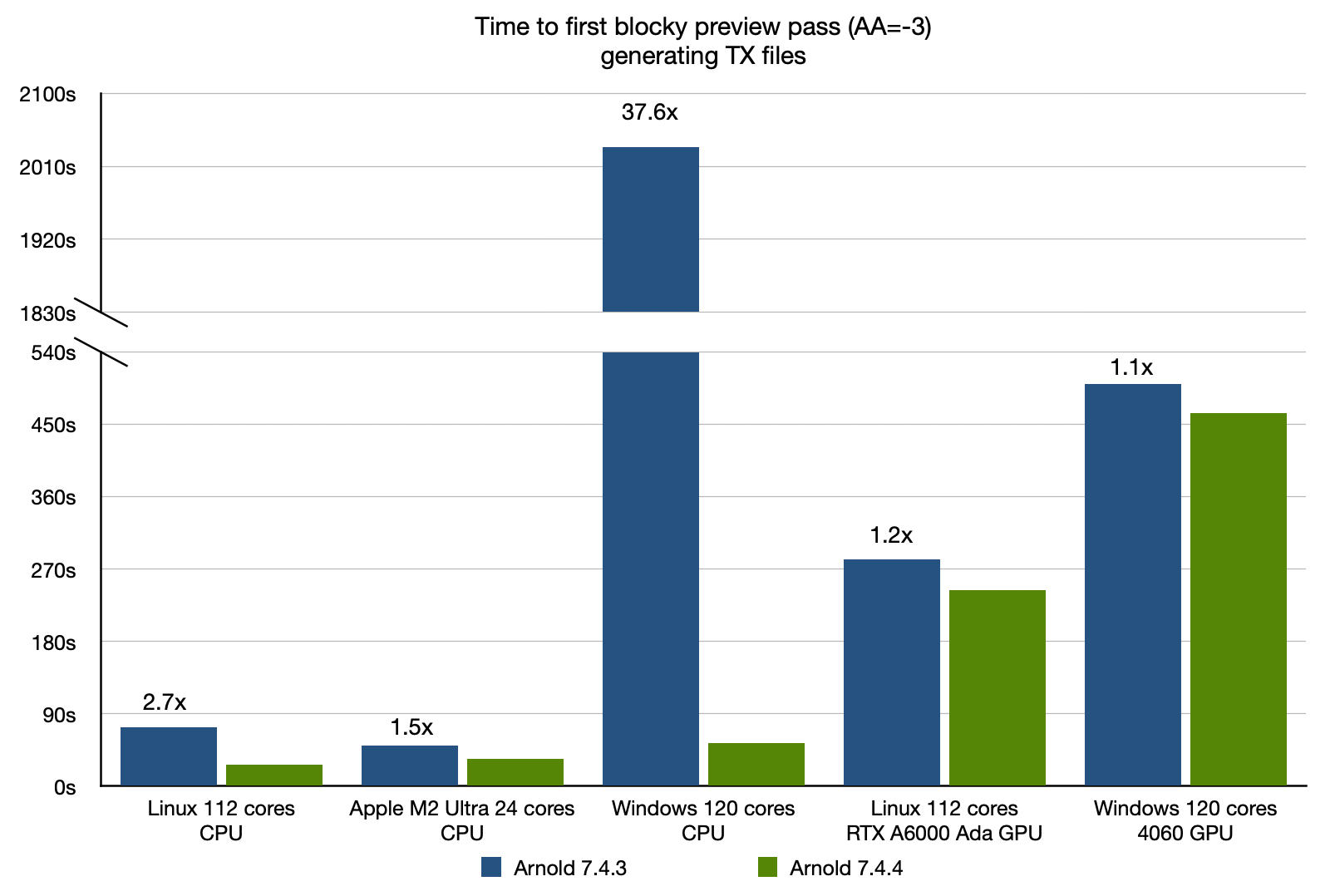
Checking for existing TX files and auto-generating missing ones is now significantly faster, reducing time to first pixel when using texture_use_existing_tx or texture_auto_generate_tx. As the charts below show, speedups are most pronounced on many-core machines, particularly on Windows. (ARNOLD-13116)
 |
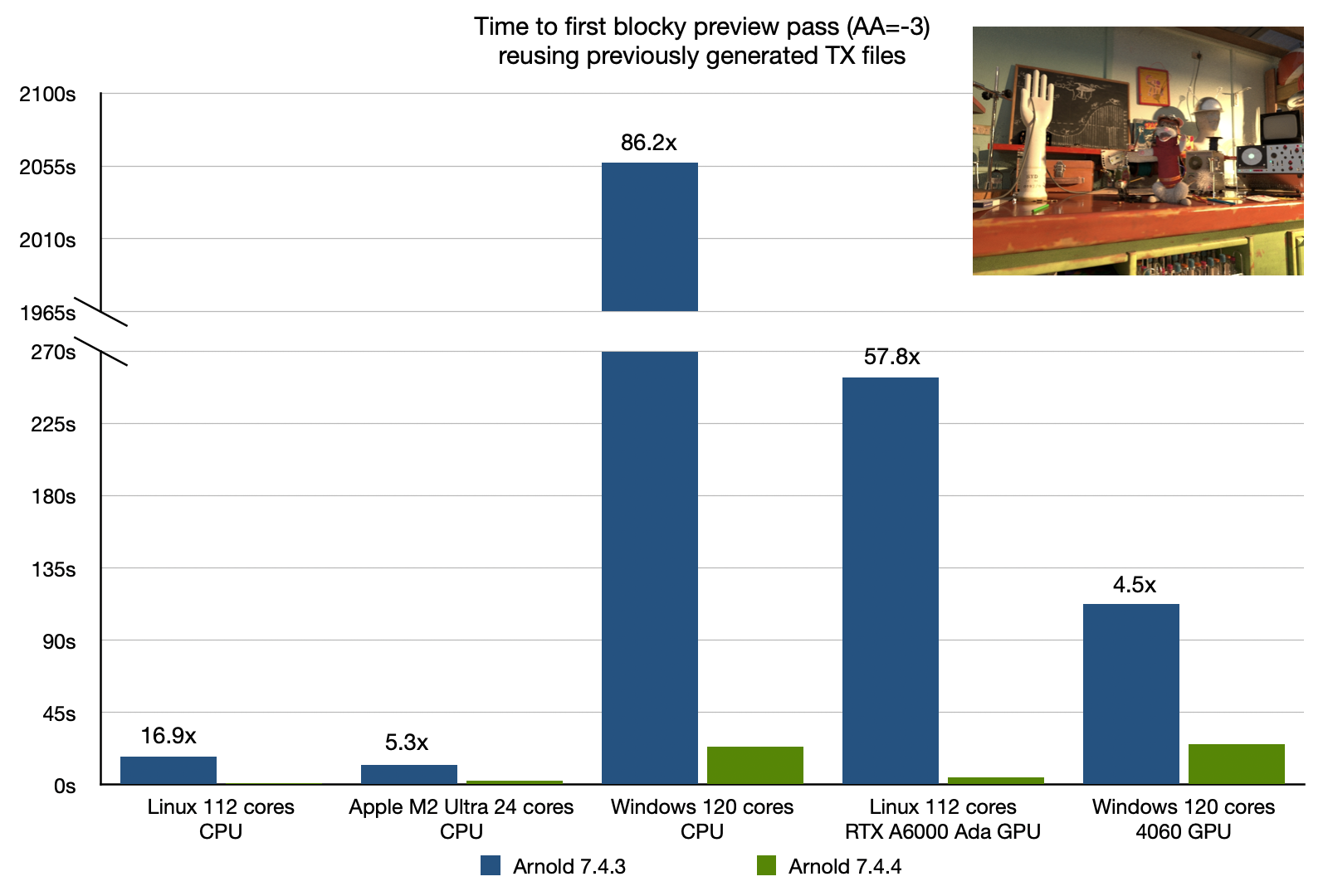 |
| texture_auto_generate_tx speedup | texture_use_existing_tx speedup |
Faster handling of interrupted mesh pre-processing
Interrupting mesh pre-processing during IPR (by for instance moving the camera while the scene is loading) no longer causes slowdowns and wasted work. Speedups are expected to increase with core count and mesh size. We have observed savings measured in minutes. (ARNOLD-16978)
Shader Enhancements
Scattering mode for standard hair
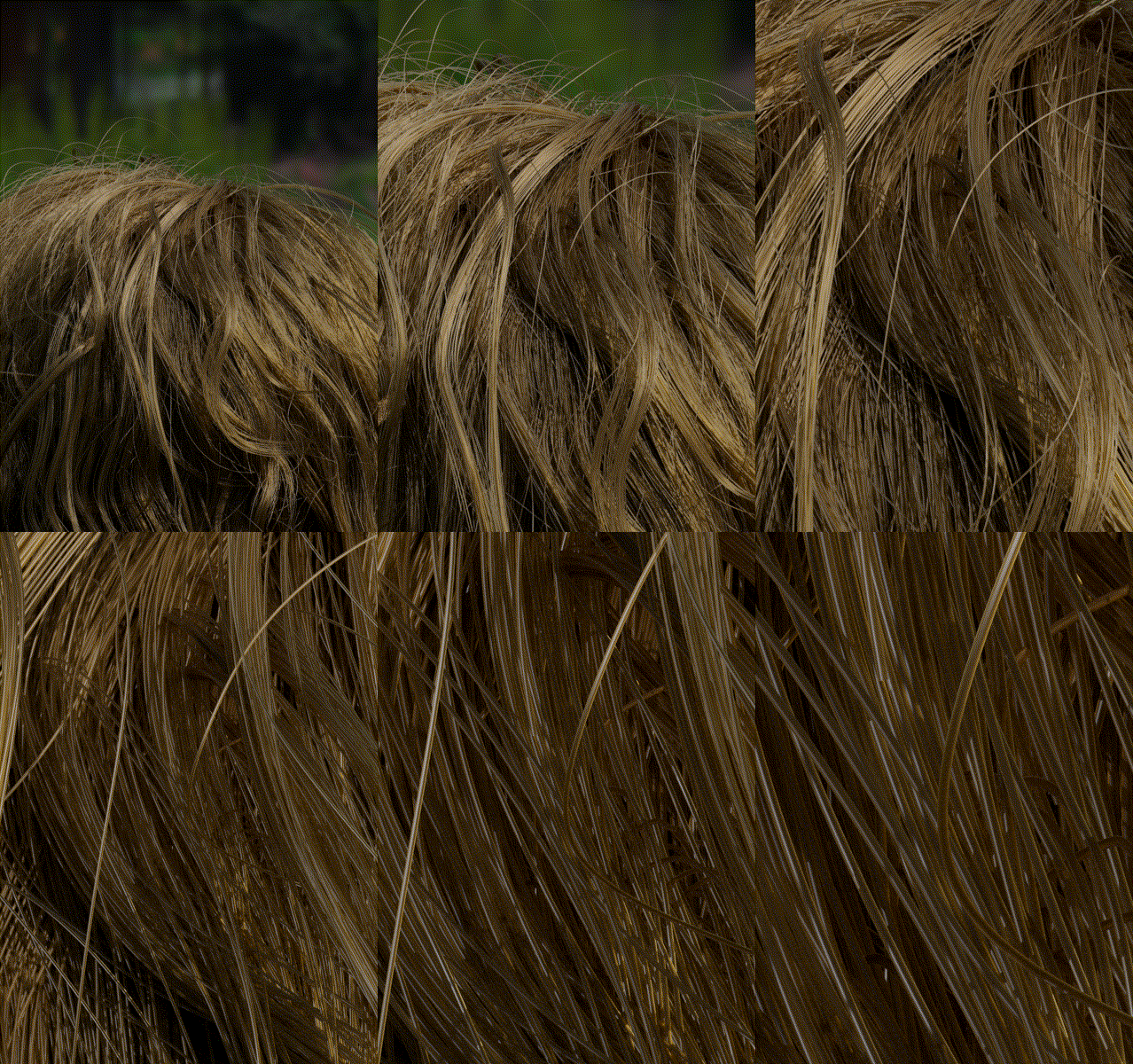
A scattering option scattering_mode has been added to the standard hair shader. Use the approximate mode to get the previous behavior. The accurate mode can be noisier, and so takes about 10 to 30% longer to render, but delivers more realistic results, especially in close-ups, by simulating each hair as a cylinder instead of flat surface. The adaptive mode uses the accurate mode for close-up hairs and the approximate for far-away hairs, automatically balancing quality and performance. (ARNOLD-16726, ARNOLD-16852)
 |
 |
 |
 |
| approximate | accurate | approximate (closeup) | accurate (closeup) |
 |
| adaptive |
Nearest points shader
The new nearest_points shader samples point clouds from OpenVDB points files, or alternatively, the vertices from points, curves, and polymesh nodes. The shader can output the number of points found, average distance, or an average of a custom user-data attribute from the points. (ARNOLD-15550)
 |
 |
| Nearest Points distance → RampRGB (custom) | Nearest Points distance → Line → Standard Volume transparent |
pointcloud_search and pointcloud_get OSL support
Support has been added for the pointcloud_search and pointcloud_get OSL built-in functions. To specify a points, curves, or polymesh node, use the node name for the point cloud name. To specify an OpenVDB file, use the format filename:grid for the point cloud name. Note: These functions are not yet available on GPU. (ARNOLD-15550)
Line shader
 |
 |
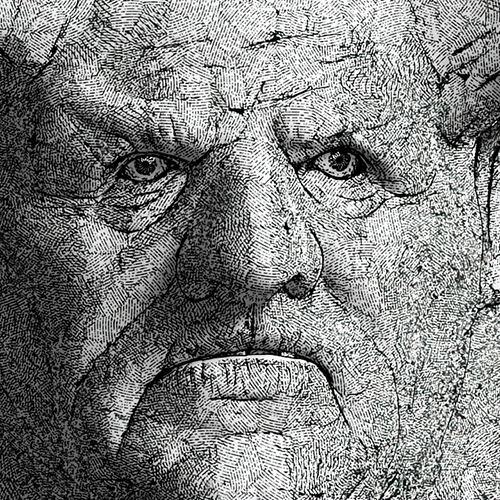 |
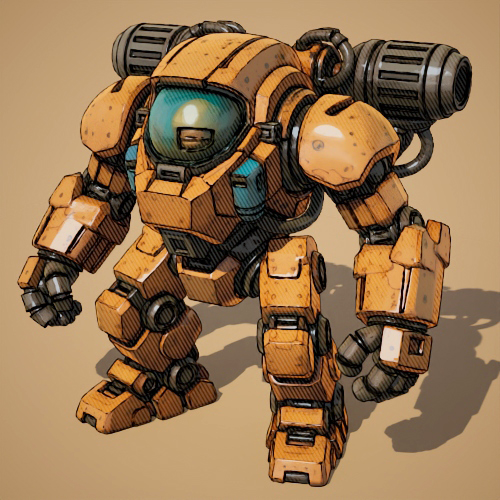
| Line → UV Transform (screen space) | Line → UV Transform (screen space) | Line → Triplanar |
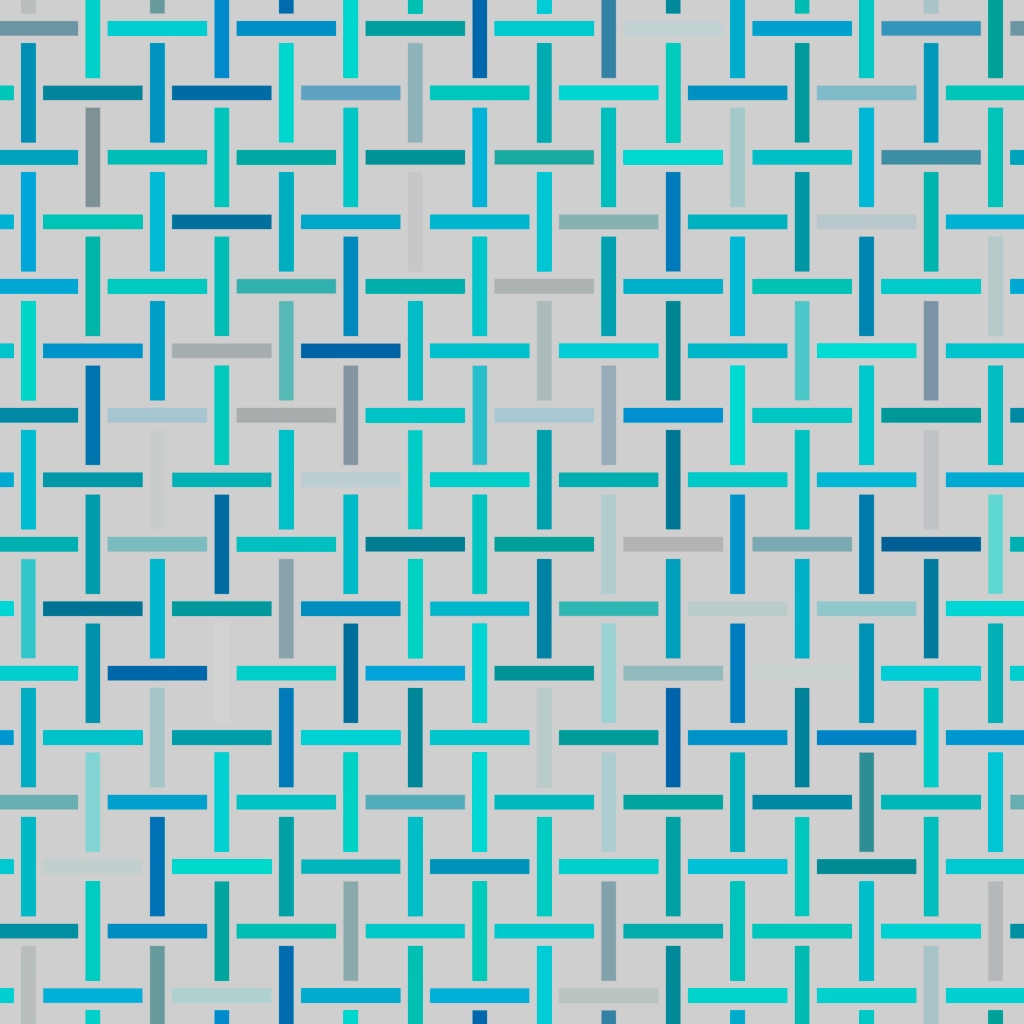
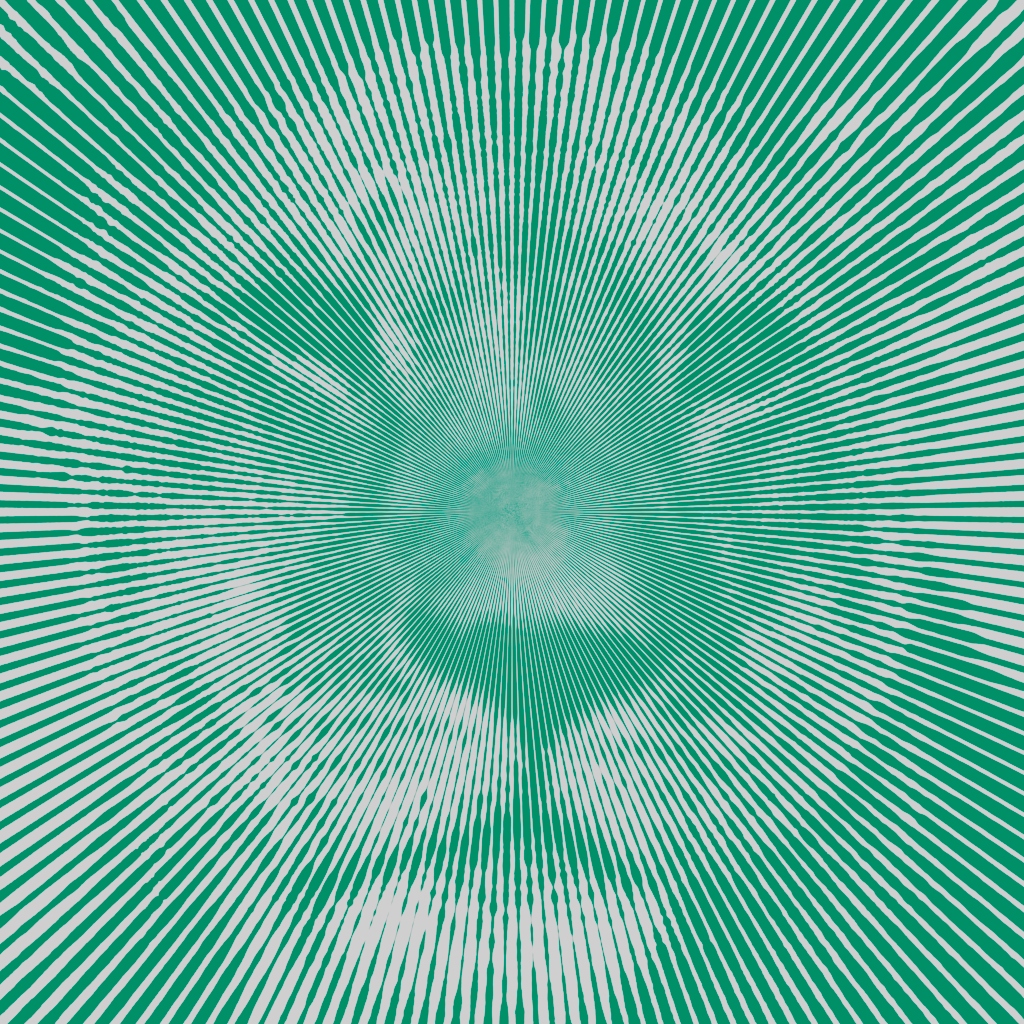
The new line shader renders lines in various styles to create geometric patterns or brush-stroke-like textures when combined with noise and textures. You can generate complex hierarchical patterns by connecting line shaders together. We recommend using the line shader with uv_transform. (ARNOLD-14976)
 |
 |
 |
 |
Space option in uv_transform
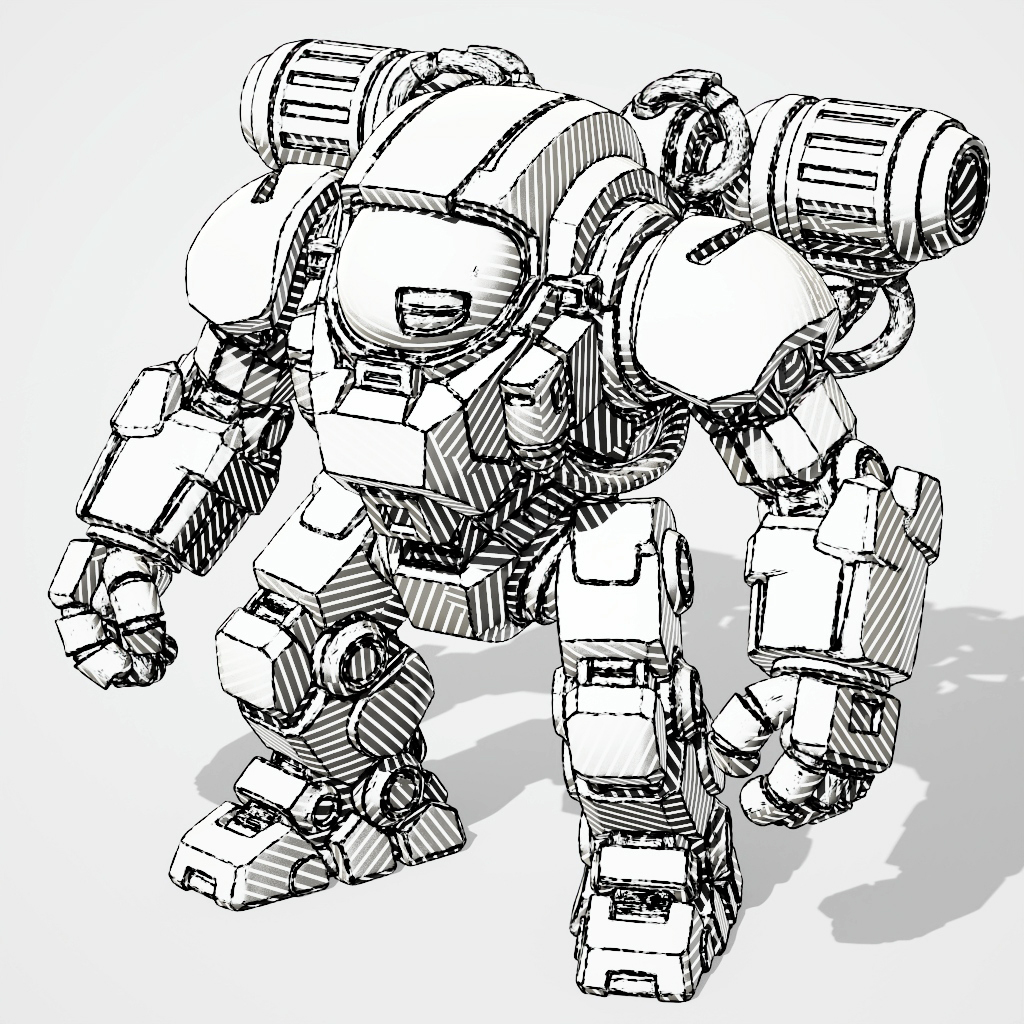
The uv_transform node now includes a space parameter with texture (default) and screen options. The texture mode applies transforms to standard texture UVs as before, while the screen mode uses screen UV coordinates. (ARNOLD-14976)
 |
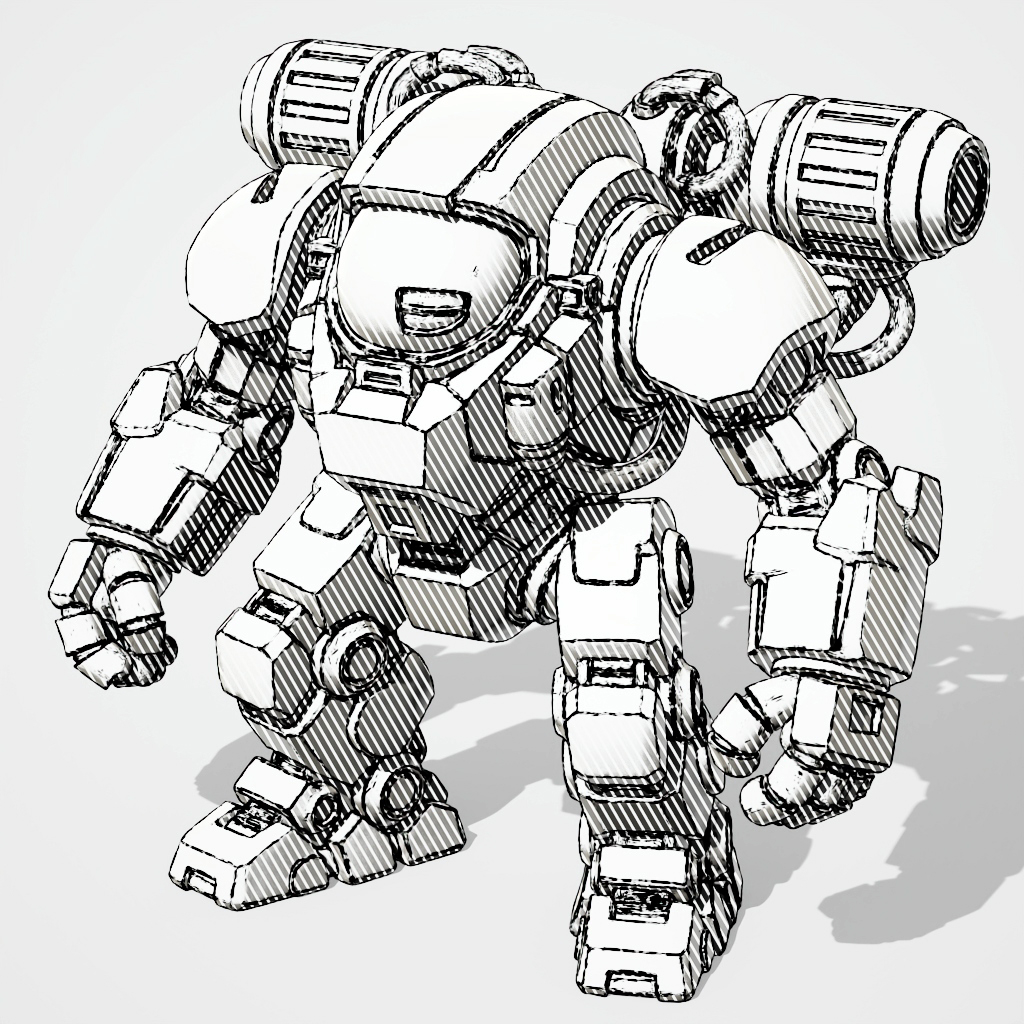 |
| Texture (default) | Screen |
compare_string shader
Arnold now has a compare_string shader that supports equals and not equals comparisons between two strings. (ARNOLD-12978)
Improved OpenPBR Surface thin film
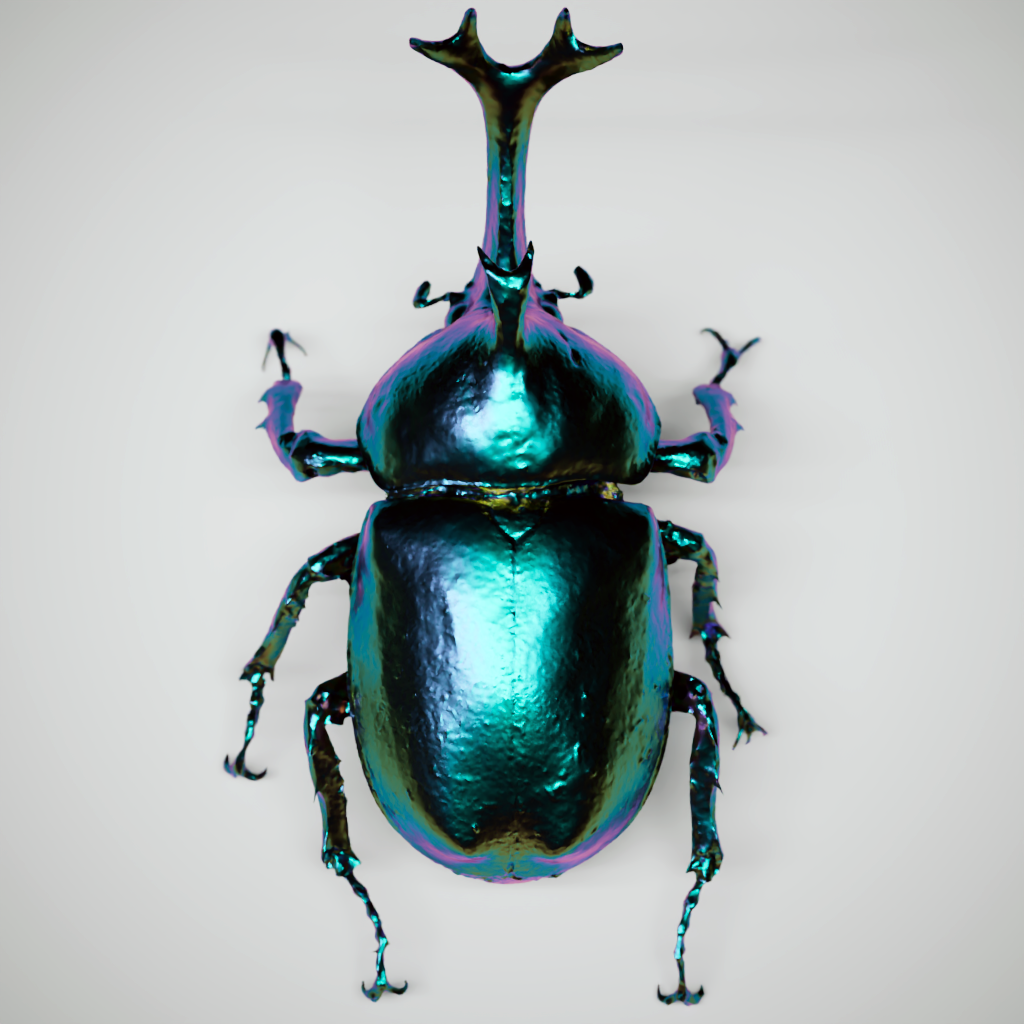
Thin film is now more physically correct, with improved energy conservation. Note that this may produce a significant change in hue in existing assets. Note also that this change has not been applied to the Standard Surface shader, for backwards compatibility. (ARNOLD-15981)
 |
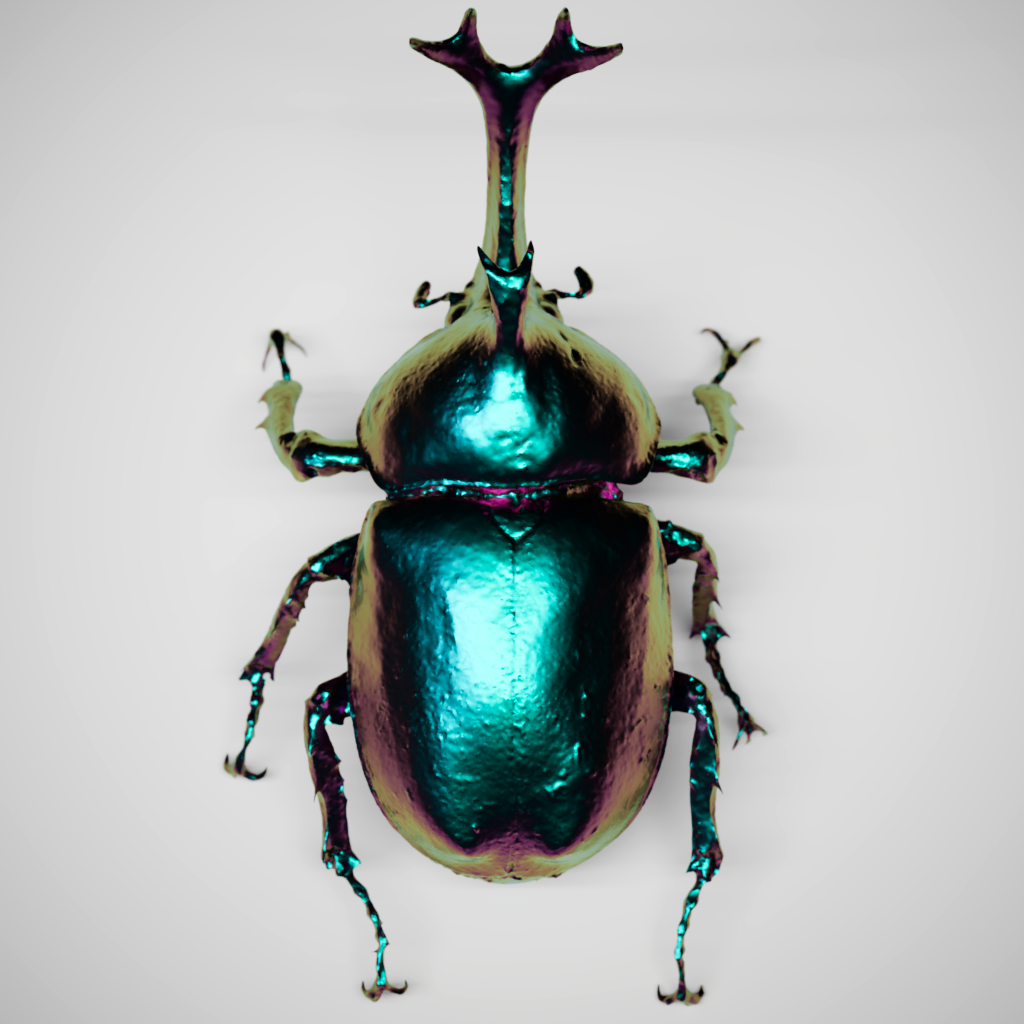 |
| 7.4.3 | 7.4.4 |
Lighting Enhancements
Increased the maximum number of samples for Global Light Sampling
The maximum number of samples used by the global light sampler is now 1024, for both GPU and CPU. (ARNOLD-16552)
Sampling mode for lights
Lights have a new sampling_mode Enum parameter which controls the type of sampling used for that light. In the default auto mode, the light is either sampled according to the global light samples render options if enabled or the local sample settings. In local mode, the light is sampled according to the light's samples and volume samples parameters, and will be sampled separately from lights that are covered by global light sampling. Local mode helps to make sure that important, hard-to-sample lights receive enough samples. (ARNOLD-13467, ARNOLD-16746)
Light blockers with negative density
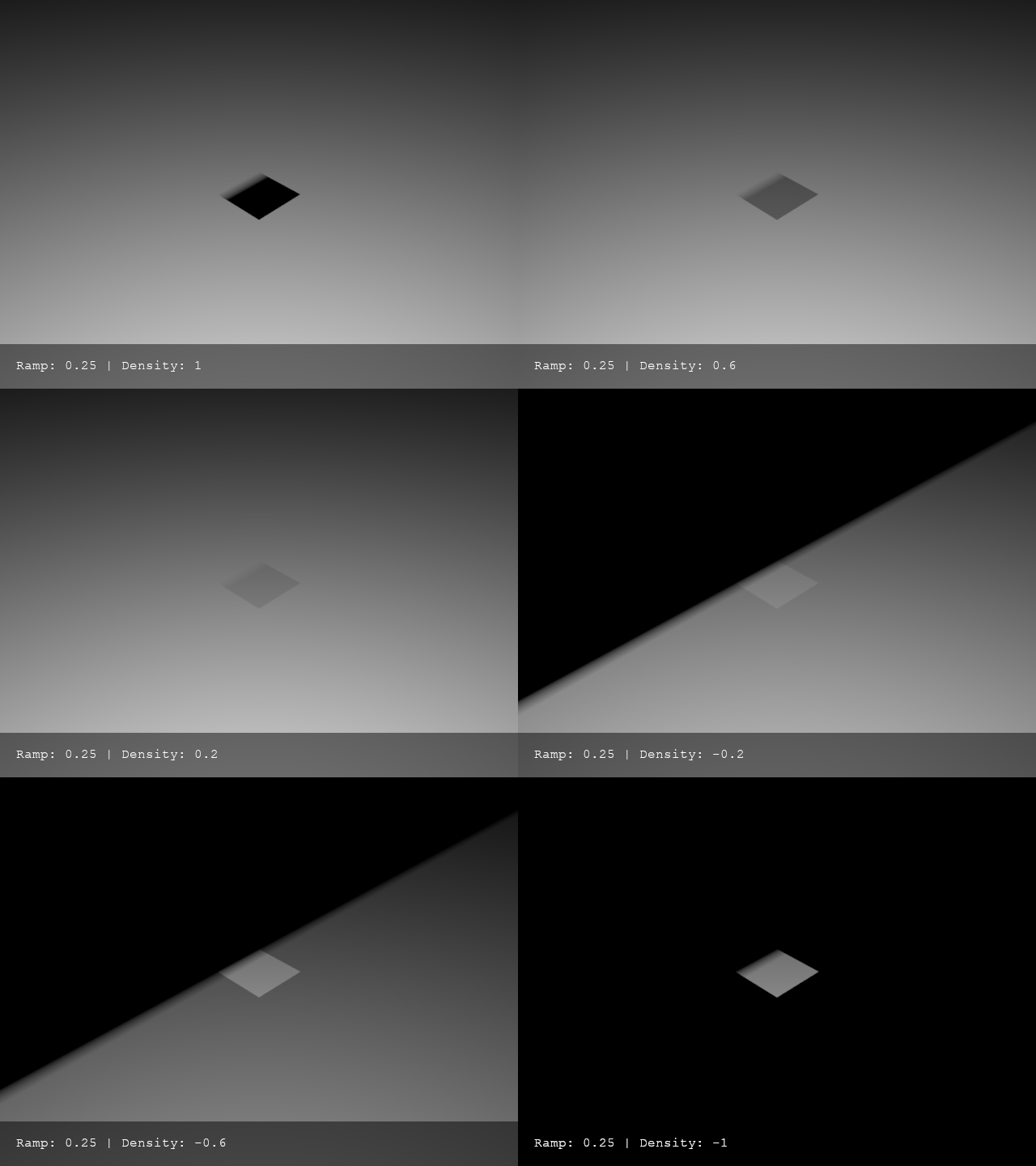
Light blockers with ramps and negative density values are now supported. (ARNOLD-16338)
 |
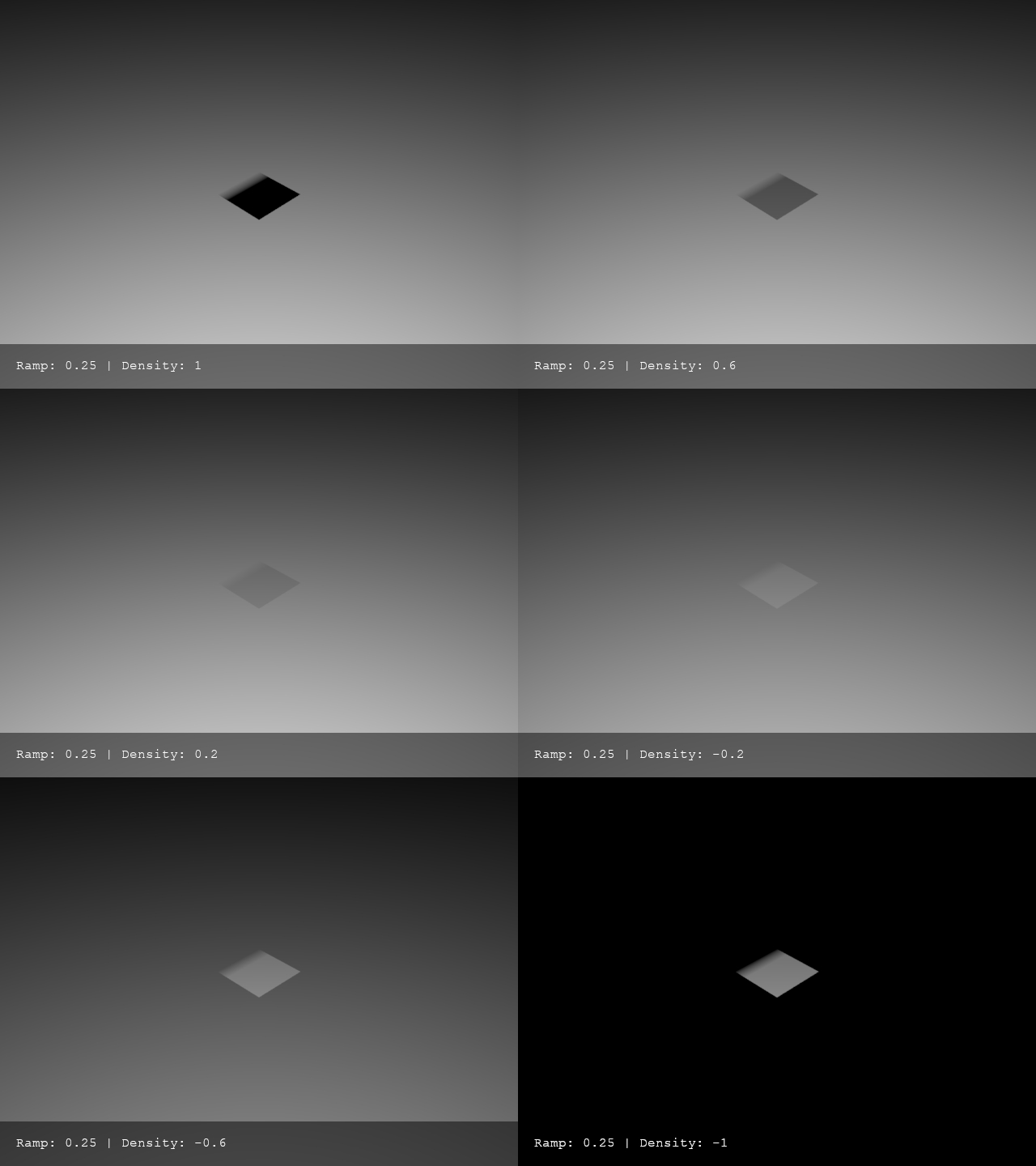 |
| 7.4.3 | 7.4.4 |
Control whether mesh lights cast shadows
You can now make mesh lights invisible to shadow rays so that they do not cast shadows. This makes mesh lights behave like other light types, which also do not cast shadows. You use the polymesh visibility flag to control mesh light shadows. (ARNOLD-15560, ARNOLD-16803)
Bloom Enhancements
Improved bloom lens effect
The lens effects imager has improved bloom modes that can run in a fraction of a second and produce more interesting bloom effects. The new aperture bloom mode is the default mode, and procedurally mimics the bloom defined by a physical camera and you can control the size with bloom_strength, and the shape and number of spikes with aperture_blades and aperture_curvature. The other new mode, shape_file allows you to load a bloom kernel from disk. (ARNOLD-10882, ARNOLD-16614)
The simple bloom mode and its bloom_radius parameter are now deprecated. Instead, use the new aperture mode with a curvature of 1 to get a round bloom, and bloom_strength instead of bloom_radius to adjust size of bloom.
Bloom color dispersion
The imager_lens_effect node has a new aperture_dispersion parameter, which controls the amount of color dispersion when in bloom_mode aperture. Increasing the dispersion value spreads the warmer colors further apart; decreasing it makes the colors progressively cooler. The default value of 1 gives realistic dispersion. (ARNOLD-16912)
 |
 |
 |
 |
 |
| -4 | -1 | 0 | 1 | 4 |
GPU Enhancements
Unify Gaussian filter on GPU
The GPU camera code now uses the same Gaussian filter implementation as the CPU. This provides a closer match and more consistent results between CPU and GPU. (ARNOLD-17059)
Enhanced parameter override support for GPU rendering
Parameter overrides now function consistently across both CPU and GPU, providing significantly improved robustness, especially in complex scene graphs with overrides on instanced procedurals. (ARNOLD-8663)
OIDN NVIDIA Blackwell support
The 2.3.3 OIDN upgrade brings in support for NVIDIA Blackwell GPUs, such as the RTX 50x series cards, and AMD RDNA4 GPUs. (ARNOLD-15745, ARNOLD-16201)
Reduced GPU memory usage for instances
GPU acceleration structures of instances are now compacted in order to save GPU memory. For example, in a scene with one million instances, this reduces GPU memory usage from 195 MB to 167 MB. (ARNOLD-16556)
GPU support for motion vector shader
The motion vector shader is now supported in GPU rendering. (ARNOLD-15172)
Arnold for 3ds Max Enhancements
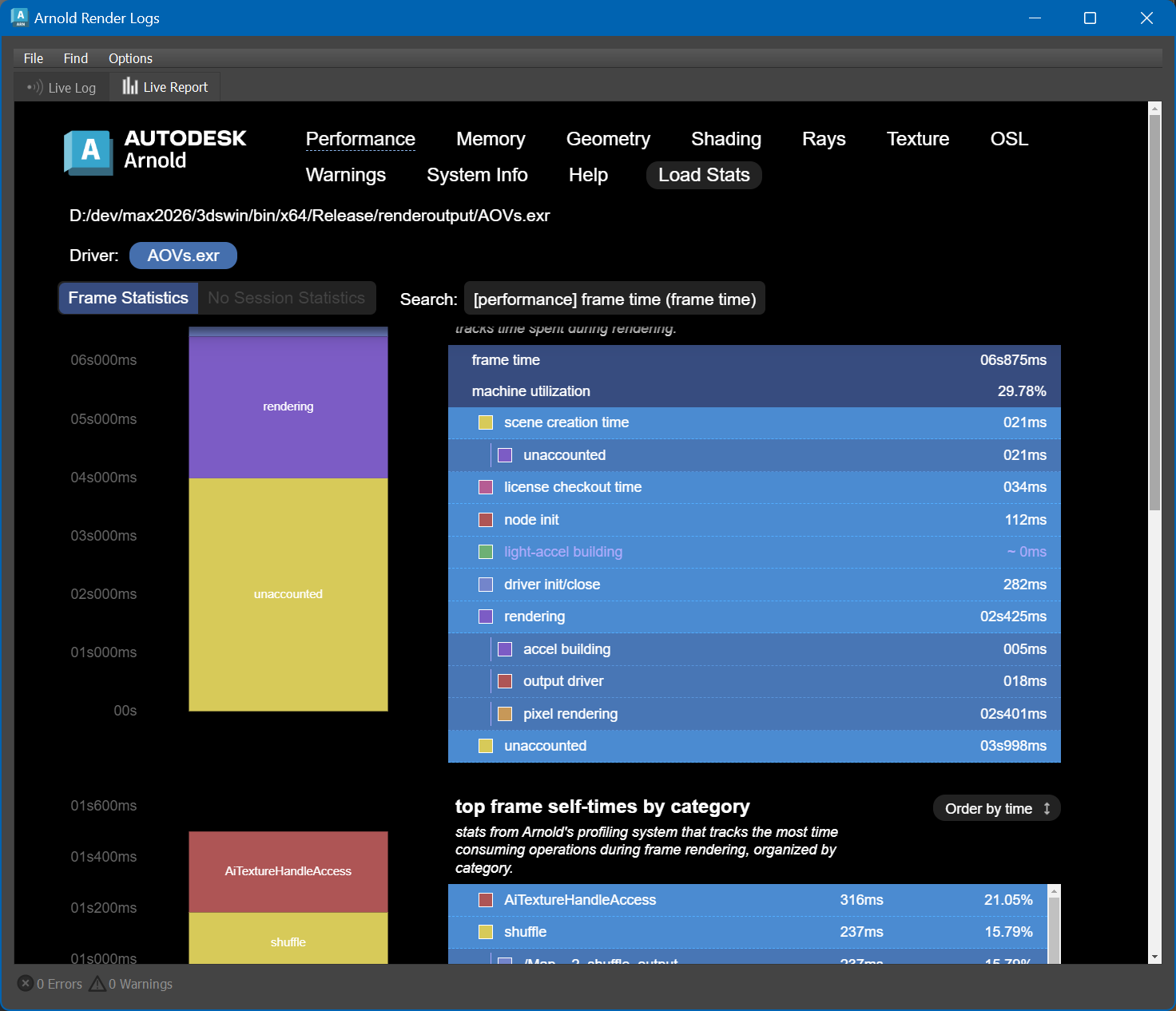
Arnold RenderView now has a Live Report tab: The Live Report is a graphical, interactive view of the Arnold log and render statistics. The Live Report updates as your interactive rendering updates. Click the Log icon in the Arnold RenderView toolbar to open the Arnold Render Logs window, and go to the Live Report tab. (MAXTOA-2017)
New Asset Search Path: The new 'asset_searchpath' for all textures and procedurals replaces the now-deprecated 'texture_searchpath' and 'procedural_searchpath' parameters. The old search paths still exist, and any script writing to either of the old parameters will have those paths automatically added to the new 'asset_searchpath'. Note that in the past, MAXtoA also used the 'procedural_searchpath' to load Arnold plugins. This was a legacy behavior and has been removed. If you have custom plugins, make sure these are in the separate 'plugin_searchpath' instead. (MAXTOA-2022)
Other Enhancements
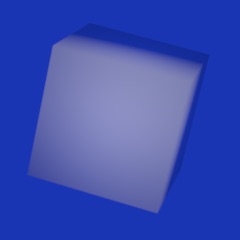
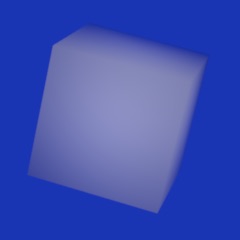
Better backfacing normal
Interpolated normals facing away from the camera could produce darkening artifacts on low‑poly meshes. Such normals are now bent toward the view direction to prevent this. (ARNOLD-6993)
 |
 |
Viewport instances
- Instancer node instances visible in viewport: Instances created by the instancer node can now be displayed in the viewport, making it easier to visualize and work with instanced geometry during scene setup and interactive rendering. (ARNOLD-16778)
Cryptomatte
- Cryptomatte option for instances: A new parameter object_split_instances was added to the Cryptomatte shader. It determines whether different instances should have different masks or the same one. (ARNOLD-16997)
- Support crypto_object_offset along with crypto_object user data: User data can now be used together on shapes. Now the Cryptomatte key contains both user data values, appended to each other. (ARNOLD-16825)
- Cryptomatte with instances: The Cryptomatte attribute object_split_instancesis now disabled by default, so that Cryptomatte produces smaller manifests for instances and returns the same hash for all instances of the same object. (ARNOLD-17320)
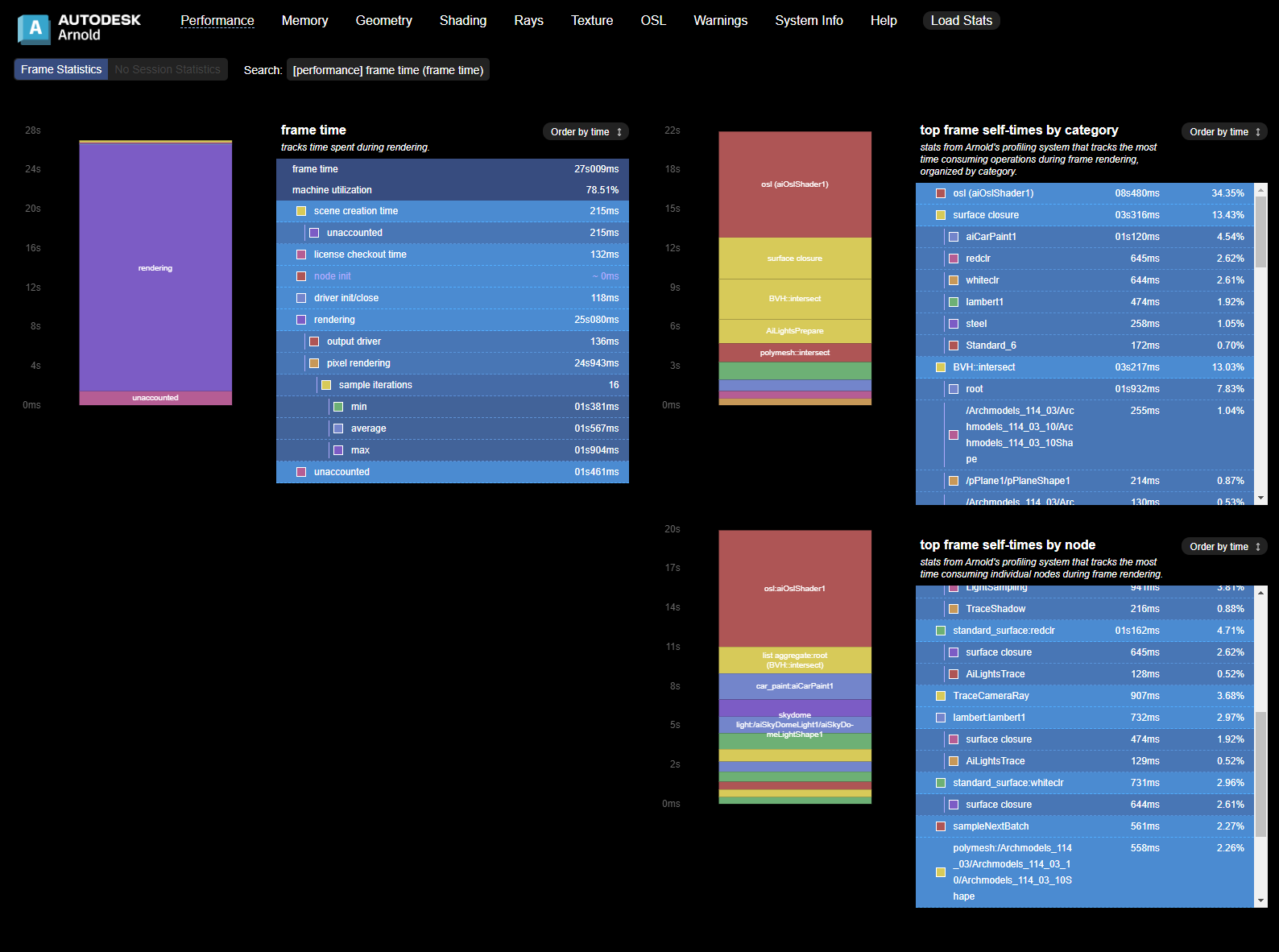
Render Reports
Options node included in JSON statistics: The options node parameters are now written to the JSON statistics file, making it easier to understand what render settings were used when you analyze performance data. (ARNOLD-8558)
Consistent unit rounding in Render Report: The Arnold Render Report now rounds values to a consistent unit, improving readability and comparability. Previously, different statistics could be displayed in mixed units (for example, sometimes in milliseconds and others in seconds), which made comparisons difficult. (ARNOLD-17036)
Separate statistics for frame and session data: During interactive renders, Arnold now tracks two types of statistics: per-frame for individual frame renders and per-session for accumulated values normalized across the entire render session. The log outputs statistics for each frame in addition to the session statistics, while statistics JSON files contain the final frame statistics and session statistics. This separation helps a user analyze both the performance of individual frames and the overall render session. (ARNOLD-16735)
Render Report: enhanced statistics visualization: The Arnold Render Report now displays both per-frame and session statistics during interactive renders. Additional improvements include stacked bar graphs for better visualization of these statistics and other user experience enhancements. (ARNOLD-16736)
EXR metadata
- Total render time in EXR metadata: When appending to a previous render, total render time is accumulated and updated in the EXR metadata. (ARNOLD-15565)
kick
- Distributed Kickhas two new command-line parameters: --tile y x, for splitting a render over multiple processes. --tile y xtakes two integer arguments specifying tile yout of xtotal tiles (for example, --tile 0 4renders tile 1 of 4, '--tile 1 4' renders tile 2 of 4, and so on). Each tile is saved with the tile number as part of the file name (for example, example.0002_0_4.exr). After you render all tiles, run kick --mergewith the same command line to merge the tiles into the final image. (ARNOLD-16921)
- kick custom arguments with scene format plugins: You can use the new kick argument -sceneload_arg %s %sto pass options to scene format plugins. -sceneload_argtakes two strings: the option name and its value. This allows you to specify a custom render settings primitive when you kick a usd file. For example, kick scene.usd -sceneload_arg render_settings /Render/settings2renders using the render settings primitive named "/Render/settings2" (ARNOLD-9865)
- Default denoiser option for kick: The kick -default_nodesflag has a new denoiseroption that adds the OIDN denoiser if no denoiser is present. (ARNOLD-16641)
Imagers
- Overlay imager cross-platform support: The overlay imager now renders with an equivalent system font if the specified font is not available.(ARNOLD-16892)
Improve maketx error messages
TX conversion error message now include the target TX filename, which makes it easier to identify the cause of the error. (ARNOLD-17044)
Components
- Update CER: The Customer Error Reporting (CER) library is updated to v7.2.4. (ARNOLD-16796)
- OpenColorIO 2.5.1: Arnold now includes OpenColorIO 2.5.1. This update includes all fixes and small improvements since the 2.5.0 release. See the full release notes for more details. (ARNOLD-17324)
- Upgrade Autodesk Analytics Program: Arnold includes a newer version of the Autodesk Analytics Program (ADP), which brings stability and performance improvements. (ARNOLD-16814)
USD Enhancements
- USDLux standardization: The Arnold options node has a new usdlux_version parameter that enables USDLux compatibility. Setting usdlux_version to 25.05 activates the current Arnold implementation of the USDLux standard for USD lights. This early development preview includes support for IES orientation and brightness normalization.
- Asset resolver: The Autodesk asset resolver is now integrated into the USD procedural. You can now render USD files containing asset-resolving directives, such as tokens and path replacements, using a mapping file and the environment variables described in the Maya documentation.
- Volume fieldIndex: Rendering VDB volumes now supports the fieldIndex attribute of the OpenVDBAsset primitive. You can now render a specific grid instead of all grids with a given name. usd#2394
- MeshLight API Support: When a MeshLight schema is applied on a mesh, the mesh now behaves as a mesh light. usd#2390
- Verbosity override: kick -v now correctly overrides any verbosity settings stored in the usd files. usd#1633
- Support multiple AOVs with the same source: It is now possible to have multiple AOVs having the same source and different filters in the RenderProduct. usd#2331
- Render settings resolution with windowNDC: If the render resolution is explicitly set in the render settings AND a windowNDC is provided, we correctly set the render region and keep the resolution. usd#2440
- Imager interactivity improvement: When an imager is updated the IPR renders are not restarted anymore. usd#2452
API Changes
Unify search paths: Procedural and texture search paths are now unified into a new asset_searchpath. LUTs for the tonemap imager also use this new search path. (ARNOLD-16486)
Chiang hair BSDF available in OSL: A new closure, chiang_hair_bsdf, is now available for use in OSL. This closure corresponds to the BSDF used in the standard hair shader with scattering_modeset to accurate. (ARNOLD-16326)
interactive_target_fps: The fps targets for IPR can now be controlled by setting interactive_target_fpsare still available, but sensible defaults are set if values are not provided. (ARNOLD-16219)
AiLibraryPath: Added new API function, returns the path to the directory that the Arnold library is located in. (ARNOLD-16642)
Asset API: New API functions allow you to query file dependencies (assets) defined in an Arnold universe (AiUniverseGetAssetIterator), scene file (AiSceneGetAssetIterator), or procedural (AiProceduralGetAssetIterator). (ARNOLD-16891)
For example, querying assets of scene.ass
AtAssetIterator* it =
AiSceneGetAssetIterator("scene.ass"); while
(!AiAssetIteratorFinished(it)) { const AtAsset* asset =
AiAssetIteratorGetNext(it); // do something with the asset }
AiAssetIteratorDestroy(it);
Assets in custom scene formats: Plugin developers can now implement the scene_get_assetsmethod in their scene format plugin to return file dependencies (assets) specific to that format. This method is optional, and if it is not implemented, Arnold loads the scene and queries assets from the generated Arnold universe. (ARNOLD-16891)
For example, this code returns 2 assets:
scene_get_assets { AtAsset* asset1 =
AiAsset("/path/to/mytexture.exr", AtFileType::Asset);
AiAssetAddReference(asset1, "mytexture.exr"); AtAsset* asset2 =
AiAsset("/path/to/myvolume.vdb", AtFileType::Asset);
AiAssetAddReference(asset2, "myvolume.vdb"); AtArray* assets =
AiArrayAllocate(2, 1, AI_TYPE_POINTER); AiArraySetPtr(assets, 0,
asset1); AiArraySetPtr(assets, 1, asset2); return assets; }
File type metadata: A new file_typemetadata can be defined on file path parameters to tell how the path needs to be resolved. If not defined, the file type is guessed from the supported extensions of the parameter (extensions metadata) or the extension of the specified file, if any. Available values are custom, and pluginEnum). (ARNOLD-17289)
Point cloud API: New API functions allow C++ shaders to perform point cloud queries that are very similar to the OSL specification for its pointcloud_searchfunctions. The typical usage pattern is to call AiPointCloudSearchto get a list of indices and a count of nearest points, and then call the AiPointCloudGetfamily of functions to query particular attributes from those points. To specify a points, curves, or polymesh node, use the node name for the point cloud name. To specify an OpenVDB file, use the format filename:gridfor the point cloud name. (ARNOLD-15550)
Mip-mapped volume generation: The Arnold API and kickcan now generate mip-mapped volumes. The Arnold API includes a new AiVolumeFileMakeLODshas a new -makevolumelodscommand-line flag. Both the API and the kickflag take three arguments: the input file, the output file, and the maximum number of levels to generate. (ARNOLD-17114)
New node-based AOV workflow: A new render_outputnode replaces the old string-based outputstatements. The global Arnold optionsnode has a new driversparameter that links to the drivernodes, and each drivernode has a list of render_outputnodes. (ARNOLD-5774)
The render_outputnode has the following structure:
Type Name Unlinkable Default Bounds
------- ------------------- ------- ------
Inputs
  STRING aov_name RGBA
  ENUM type rgba
  NODE filter null
  STRING layer_name
  BOOL half_precision false
  NODE camera null
  STRING name
For example, options node like this:
options { outputs 2 1 STRING "RGBA RGBA my_filter driver_output"
"diffuse RGBA my_filter driver_output" } driver_exr { name
driver_output filename "render.exr" }
would become:
options { drivers 1 1 NODE "driver_output" } driver_exr { name
driver_output render_outputs 2 1 NODE "my_RGBA_output"
"my_diffuse_output" filename "render.exr" } render_output { name
my_RGBA_output aov_name "RGBA" type "rgba" filter "my_filter" }
render_output { name my_diffuse_output aov_name "diffuse" type
"rgba" filter "my_filter" }
Note: The APIs AiSceneWritefiles by default do not export with these nodes. To do so, add the Boolean convert_string_outputsset to truein the AtParamValueMapfor the paramsAtMatrix API: Now supports inequality comparisons via operator!=. (ARNOLD-17354)
Incompatible Changes
Required NVIDIA driver version must be newer than 582.16/580.126: GPU rendering and OptiX denoising do not work with driver version 582.16 and older, and will log an error and abort the render. Note that you can use New Feature Branch drivers. (ARNOLD-17405)
Autodesk Network Licensing version: Arnold 7.5 switches to ARNOL_2027 licensing
- Single-user subscriptions will work with Arnold 7.5. The plugin installers automatically register the new version. If you do not use a plugin, then after you download Arnold, open the Arnold License Manager and click Register.
- Existing network licenses will not work with Arnold 7.5. Log on to your Autodesk account to generate your new ARNOL_2027
- If you do not run the installers, and you manually register Arnold, then use** --pk C0PS1 --pv 2027.0.0.F** with the AdskLicensingInstHelper
Still API compatible with 7.4: No Arnold ABI has been modified/removed, so Arnold 7.5 is still backwards compatible with shaders/plugins compiled for Arnold 7.4. (ARNOLD-17301)
Standard Volume channel references to OpenVDB indexed grids: Channel parameters like standard_volume.density_channelnow use grid names without a grid index. (ARNOLD-16753)
For example, density_channel densityworks with these volume.grids
density
density, density[1]
density[0], density[1]
dens*
A standard_volumechannel with an index, like density_channel density[1], returns all zeroes. If you need different shaders on different grids, you can have different volumenodes for each grid index, and one standard_volumeapplied to each volume.
Hue shift with OpenPBR Surface thin film: The energy conservation changes can produce a significant change in hue when using thin film in OpenPBR. (ARNOLD-15981)
Mesh lights do not cast shadows when shadow visibility is disabled: In previous versions of Arnold, mesh lights cast shadows. You can now control this using the source polymesh visibility flag, so mesh lights will cast shadows only if the polymesh is visible to shadow rays. (ARNOLD-15560)
Scene creation time stats: The scene creation time stat has moved under "frame time". Now "frame time" will be larger and should report the true total time it took to make that frame. (ARNOLD-16735)
Parameters deprecation: The procedural parameters threads, and hydraare now considered legacy and deprecated. usd#2418
color_jittershader now correctly installed as RGB type: The color_jittershader was mistakenly installed as an RGBA type instead of the correct RGB type, which caused unnecessary complexity when linking it to other shaders in DCC tools. (ARNOLD-17095)
USD doubleSided attribute ignored by default: The UsdGeom doubleSided attribute is false by default, so geometry renders as single-sided, which is different from the default Arnold behavior. To prevent unexpected renders and unwanted artefacts caused by this difference, Arnold now ignores this USD attribute and uses the Arnold-specific primvars:arnold:sidedness usd#2099 You can roll back this change by disabling the new options attribute usd_override_double_sided
Improved API Safety with [[nodiscard]] Annotations: The Arnold API now uses [[nodiscard]] on key return values to help plugin developers catch unintended mistakes at compile time. If your code fails to compile, it likely means a return value that affects behavior was being ignored. This change helps surface issues earlier, making your custom plugins more reliable and easier to debug. Update your code to use the returned value where appropriate, or remove calls that have no effect. (ARNOLD-16995)
Bug Fixes
MAXTOA-1323 - Cancelling the creation of Arnold procedurals (such as USD or Alembic) caused a crash
MAXTOA-1960 - By default, MAXtoA does not show Arnold RenderView on render nodes (for example, Backburner clients). If you do want to see the Arnold RenderView, you can now use the environment variable MAXTOA_USE_ARV_IN_BACKBURNER, with the options 0 = Off, 1 = display if enabled in the scene, and 2 = always show it for all scenes.
MAXTOA-2004: A bug was fixed where modifiers applied above TyFlow were ignored
MAXTOA-2036: Importing Imager Chains exported from Maya would only import the first imager.
MAXTOA-2052: Silence several benign but distracting warnings from loading DLLs for Max Fluids
ARNOLD-11489 - Path mapping does not work on MaterialX operator nodes
ARNOLD-12517 - Filename starting with / or ./ do not work with search paths
ARNOLD-15987 - Crash when using camera.filtermap parameter with GPU rendering
ARNOLD-16176 - Existing forward references to linked nodes are removed when immediate values are set for shader links
ARNOLD-16695 - MaterialX Color4 Image node throws error while rendering
ARNOLD-16713 - Support normalmap shaders from older versions of materialx
ARNOLD-16723 - Support materialx_types in AiMaterialxGetNodeEntryFromDefinition
ARNOLD-16739 - Global Light Sampling is not correctly enabled in certain cases in IPR
ARNOLD-16752 - Geometry changes are not reflected in the scene bounding box
ARNOLD-16761 - Crash when largest polygon stats contains deleted mesh
ARNOLD-16770 - Scene bounding box is not updated for changes that reinitialize a geometry node
ARNOLD-16780 - Apply path mapping and environment variable expansion to directly-referenced .tx files
ARNOLD-16780 - Avoid searching for texture files in the autotx target path
ARNOLD-16780 - Fix bug when AiResolveFilePath is passed an absolute path
ARNOLD-16788 - Fix incorrect gpu_support metadata
ARNOLD-16815 - DeepEXR driver hangs with certain invalid samples
ARNOLD-16833 - Render Report displays milliseconds 10x too small
ARNOLD-16840 - Fixed custom AOV settings resetting when in interactive mode.
ARNOLD-16857 - Continuous full-scene update after cryptomatte update when dependency graph is disabled
ARNOLD-16862 - Render Report: pixel rendering sample iterations are output as microseconds
ARNOLD-16868 - Render Report: warning page incorrectly defaults to performance page
ARNOLD-16900 - Blurry cryptomatte on CPU when scene contains an OIDN or Optix denoiser
ARNOLD-16932 - Geometry hit stats can sometimes be incorrect
ARNOLD-16933 - Polymesh stats not decremented when deleting polymesh nodes
ARNOLD-16945 - Fix rare crash when loading some USD files
ARNOLD-16947 - Crash on operators with nested instanced procedurals containing lights
ARNOLD-16973 - Deep alpha generates rare NaNs when opacity AOV is not used
ARNOLD-17023 - Non-rectangular quad_light disables other lights
ARNOLD-17040 - Use TX file in temp directory if it already exists
ARNOLD-17045 - Fixed procedural curves not having transparent shadows
ARNOLD-17049 - Fixed bloom rotation in aperture mode for angles below -180°
ARNOLD-17058 - [GPU] Fixed incorrect per-depth ray counts reported in stats.
ARNOLD-17076 - Fixed random missing lights when using light_group
ARNOLD-17088 - Fixed random crash when using curvesnodes with min_pixel_width
ARNOLD-17140 - Faster procedural node destruction when most of its nodes are modified. Fixes very slow instancer destruction.
ARNOLD-17149 - [GPU] Fixed small per-instance GPU memory leak.
ARNOLD-17151 - Fixed an incorrect "Rendering CPU utilization was only 0%" message being reported when utilization was greater than 0%.
ARNOLD-17171 - Fixed AiTextureTxFileNeedsUpdatereturning false when colorconvertarguments contain empty spaces.
ARNOLD-17173 - Conflicting MaterialX definitions for convert shaders cause random failures
ARNOLD-17193 - No path mapping on OSL textures if texture_use_existing_tx is turned off
ARNOLD-17195 - Crash when interactively replacing a procedural with an empty file
ARNOLD-17206 - Crash when node does not have an AtNodeEntry
ARNOLD-17291 - Fix out-of-bounds access when sampling mesh lights
ARNOLD-17296 - Crash when there are multiple non-simple imager_lens_effects nodes
ARNOLD-17341 - Random crash while GPU rendering and interactively modifying OSL shaders
ARNOLD-17349 - Volumes appear more accurate under large camera rotation blur
ARNOLD-17350 - Fixed incorrect bounding of lights with nearly co-directional surface normals
ARNOLD-17399 - IPR crash after deleting shapes
ARNOLD-17489 - Crash with invalid vdb points grid in point cloud queries
usd#2349 - Fix Husk renders using the Arnold product type overwriting the same output path when rendering multiple frames in same proces
usd#2391 - Remove warnings when rendering with an Arnold camera
usd#2392 - Fix a warning due to additional metadata parameters, typeName, and colorSpace introduced in USD 25.05
usd#2408 - Fix render region calculation when based on windowNDC
usd#2415 - Incorrect transform when exporting complex object hierarchy to USD
usd#2422 - Fix regression on frame changes in the usd procedural
usd#2441 - Fix invalid motion ranges caused by motion_start and motion_end attributes
usd#2467 - Hidden primitives do not show up when turned visible
usd#2469 - Authored primvars should not have elementSize set to the array size
usd#2472 - Regression in render settings default value for autoTX
usd#2476 - log_verbosity setting should affect both console and file logs
usd#2478 - Support the Z AOV for the Hydra depth buffer
usd#2492 - Fix path resolving issue for OCIO config with absolute paths
usd#2504 - Ensure geom subsets don't get appended to USD in animated exports
usd#2509 - Fix crash in Solaris when changing the rendered LOP interactively
usd#2514 - Fix random inconsistencies between instantaneousShutter and ignore_motion_blur in hydra
usd#2519 - Fix transform of cameras under procedurals
usd#2526 - Update the arnold frame value when changing frame in solaris
usd#2530 - Support uniform and vertex-interpolated primvars that are indexed
usd#2532 - Fix crashes in IPR with ArnoldGinstance primitives
usd#2533 - Connections to shader with multiple outputs not properly authored to USD
usd#2536 - ArnoldUsd procedural filename is not reported as an asset
usd#2542 - Remove dependency on usdSkelImaging in the scene index.
usd#2547 - Changing material terminal is not updated with Hydra 2
usd#2557 - Fix regression when a geometry has an instancer without any instances
System Requirements
3ds Max 2025, 2026, or 2027
Windows 10 or later, with the Visual Studio 2019 redistributable.
x86-64 CPUs need to support the SSE4.1 instruction set.
GPU rendering and Optix denoising require an NVIDIA GPU with the Maxwell architecture or later.
- Note: GPU rendering and OptiX denoising do not work with driver versions 582.16/580.126 and older, and will log an error and abort the render. You can use New Feature Branch drivers. (ARNOLD-17405)
- On Windows, we recommend 591.28 or higher drivers.
Intel OIDN GPU support is limited to:
Windows
- Intel Xe dedicated and integrated GPUs
- NVIDIA GPUs using Turing or newer architectures
- AMD GPUs with RDNA2 (Navi 21 only) and RDNA3 (Navi 3x) architectures