Perform Forma wind analyses on your model to assess the impact of design decisions.
Types of wind analysis
To help you assess how wind conditions impact your model, Forma offers two types of wind analysis: wind estimate and wind simulation. These analysis types rely on different methodologies and support different stages of the design process.
Wind estimate
Wind estimate provides fast guidance during early design exploration. It runs instantly and updates as your design changes, making it useful for comparing options and understanding general wind patterns while iterating. It can analyze wind direction or pedestrian comfort, as shown below.
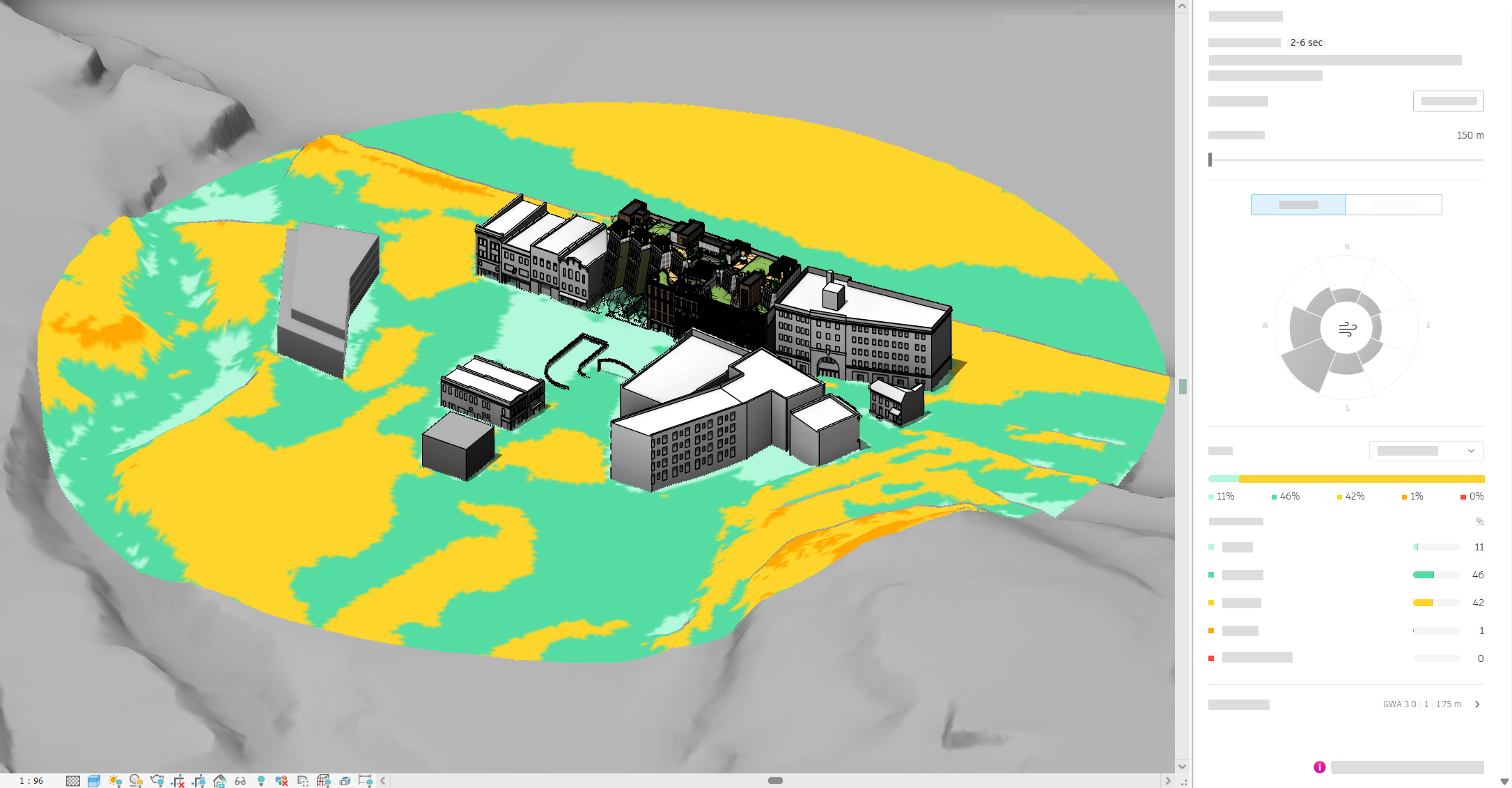
Compared to wind simulation, which provides in-depth insights, wind estimate is aimed at giving you general design direction. The results are less detailed than those from wind simulation.
Wind estimate uses a predictive model trained on results from previous wind simulation analyses. This methodology allows it to estimate wind behavior quickly without running a full simulation.
Wind simulation
Wind simulation provides detailed results for assessing wind conditions across an area. These results can be helpful in project documentation where you want to include an assessment of wind behavior. Use the results to evaluate how different design choices affect wind conditions for specific wind directions and speeds. It can analyze pedestrian comfort or wind direction, as shown below.
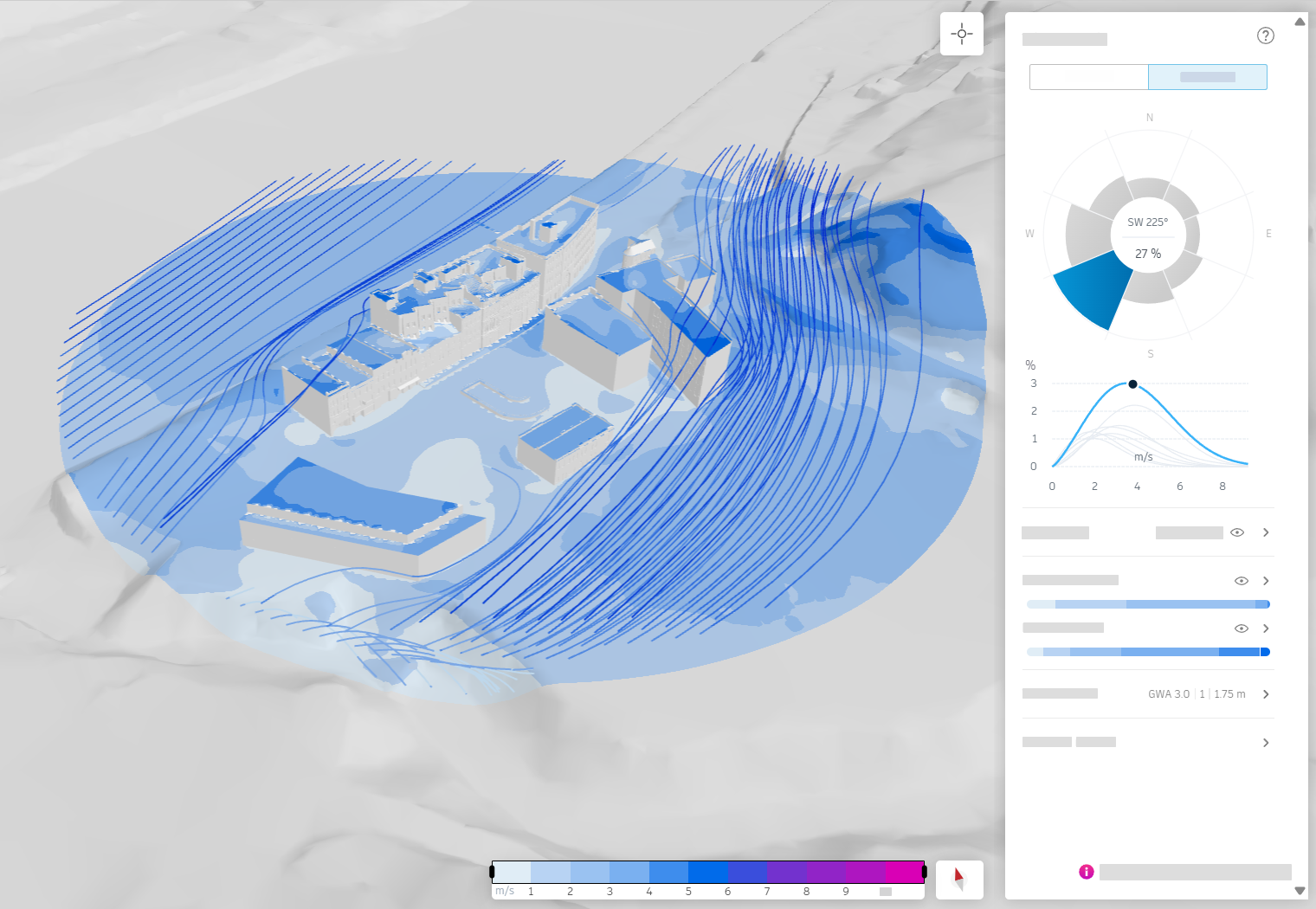
Wind simulation is based on three-dimensional Computational Fluid Dynamics (CFD). This methodology models airflow around buildings to calculate wind speed and direction across the site with a high level of detail. This type of wind analysis takes a longer time to complete than wind estimate.
What Forma wind analysis evaluates
Wind analysis helps you understand how wind affects outdoor spaces. A common concern is uncomfortable outdoor areas caused by high wind speeds, often referred to as pedestrian comfort. Wind analysis can help you identify these areas and assess how design changes affect wind conditions.
In warmer climates, wind can also improve thermal comfort by supporting natural ventilation through a site. With wind analysis and an automatically generated wind rose, you can quickly explore whether your design allows airflow through streets, courtyards, and open spaces.
Urban wind
In urban environments, pedestrian comfort is strongly influenced by wind conditions. Building height, spacing, and orientation can create areas with increased wind speeds and turbulent gusts, especially at ground level. These effects can significantly impact how outdoor spaces are experienced.
Common urban wind effects include the following:
- Downdraft, where wind is deflected downward along building façades
- Venturi effect, where wind accelerates through narrow spaces
- Upward deflection of wind, where airflow is redirected upward around building forms
Wind analysis helps you assess where these effects may occur and their severity at the pedestrian level.
Comfort and direction
Each type of Forma wind analysis (both simulation and estimation) provides two sets of results:
- Wind direction shows calculated wind speeds at ground level for a single wind direction and speed. You can inspect these results using the wind rose and wind speed graphs.
- Pedestrian comfort aggregates wind direction results over time using probabilities from the wind rose. This shows where uncomfortable wind speeds may occur based on how often different wind directions and speeds are expected.
Together, these results help you understand both individual wind scenarios and their combined impact on pedestrian comfort.
Wind rose and wind speeds
The wind rose shows the probability of wind coming from a selected direction, based on data from the Global Wind Atlas. When exploring wind direction results, you view one wind direction at a time using the wind rose.
By reviewing the wind rose, you can answer questions such as the following:
- Which wind directions should my design shield outdoor areas from?
- Are streets and openings aligned with dominant wind directions?
When viewing wind direction results, wind speed is shown in a graph below the wind rose. The graph represents the probability of different wind speeds coming from the selected direction.
Current limitations
As part of the Forma Connected Client Tech Preview, the following limitations apply to Forma wind analysis:
- The terrain in the analysis model is the union of all terrains in the scenario and toposolids modeled in Revit.
- The terrain must not have voids nor a total difference in elevation exceeding 200 meters (about 656 feet) across the whole terrain.
- The analysis model displayed in the wind simulation setup window is based on the current version of the scenario. For a workshared model, after you sync with central, there may be a delay for the scenario to update.