Set up an automatic or manual generation of wind loads.
Access
- Click Loads
 Wind and Snow
 Wind Simulation.
Dialog Elements
- Wind direction
- Shows the list of wind directions according to the global coordinate system.
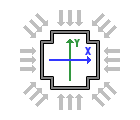
By default, the X+ direction is selected.
- Wind parameters
- Specify the wind intensity and the ground level.
By default, the ground level is set to the lowest Z coordinate of the current model.
- Wind exposure
- Specify which elements are exposed to the wind, and indicate if the openings in the panels must be considered as closed or not.
By default all the elements are considered during the simulation.
- Loads generation
- Specify if you want to generate the wind loads automatically or manually.