
Model objects act as filters for objects from the 3D model. A model object is defined by the object type (e.g. Beam), model role (e.g. Column) and an additional filter (e.g. with holes).
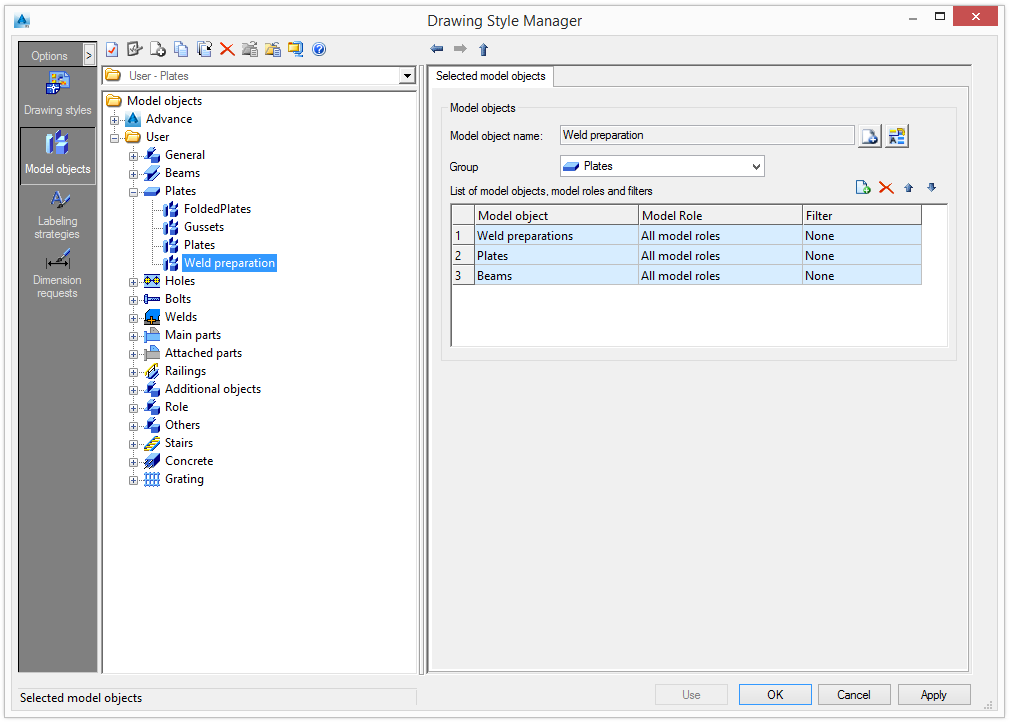
Add / rename model objects
The list of model objects, roles and filters can be modified. New strategies can be added or existing strategies can be renamed.
| Button | Function |
|---|---|

|
Define a new model object. A copy of the current settings is created. It can be moved to another group using the Group drop-down list. A new item appears in the tree panel under the specified group. |

|
Rename the model object. The current settings are saved under a different name. |
Manage the list of model objects
The toolbar contains all the necessary management functions:
| Button | Function |
|---|---|

|
Add a model object. |

|
Delete the selected model object. |

|
Move the selected model object up the list. |

|
Move the selected model object down the list. |