
A variable is used to combine values (from a range, table, logic operator, variable or constant value) to derive another value.
The following example shows a scenario for controlling a boosted flow into an area subject to low pressures within a gravity fed demand area. If the pressure at a sensor in the demand area falls below a given pressure, the booster pump will be switched ON to boost flow to the low pressure area . Under normal conditions, the booster pump will be switched OFF and the entire area will be gravity fed.
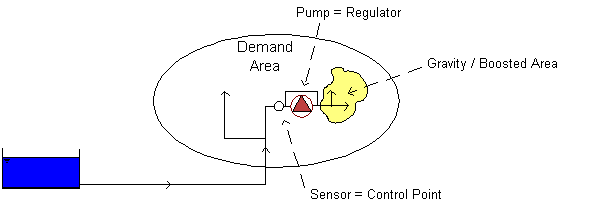
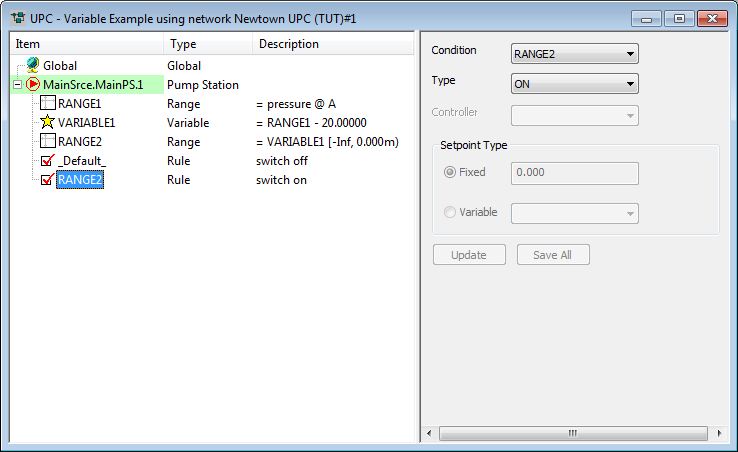
In this scenario, a variable is used to calculate a pressure offset at sensor Node A. The default status of the pump is OFF. If the pressure at Node A falls below 20m, the pump will be switched ON.
The scenario is defined by adding components to a pump regulator in the UPC window.
| Component | Parameters | Effect |
|---|---|---|
|
RANGE 1 |
Range type: Pressure Location node: A Minimum: Maximum: |
TRUE if pressure at Node A is between -/+ infinity |
|
VARIABLE 1 |
Measurement: Pressure Operator: Minus Argument 1: RANGE 1 Argument 2: Constant (20) |
Pressure at Node A - 20m |
|
RANGE 2 |
Range Type: Variable Location Definition: VARIABLE 1 Minimum: Maximum: 0 |
TRUE if VARIABLE 1 is less than zero. |
|
RULE 1 |
Condition: _default_ Type: OFF |
Default status of pump is OFF |
|
RULE 2 |
Condition: RANGE 2 Type: ON |
Switch pump ON if RANGE 2 is TRUE |
- Range 1: Defines Node A as the control point.
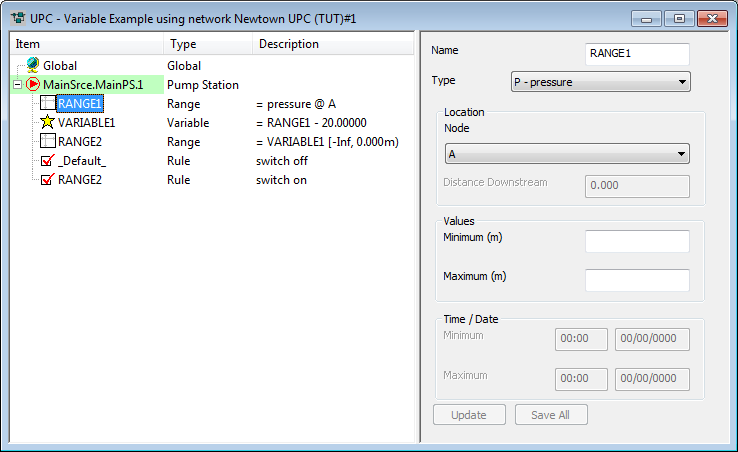
- Variable 1: Calculates offset pressure at Node A.

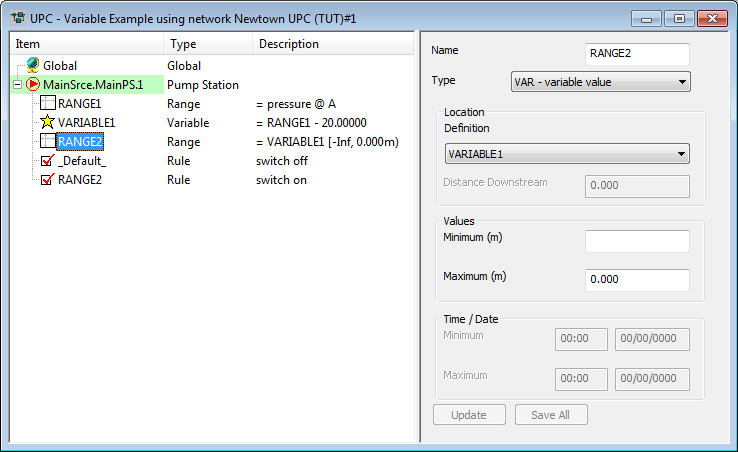
- Range 2: Defines the calculated offset pressure in Variable 1 as the control with a maximum value of 0.
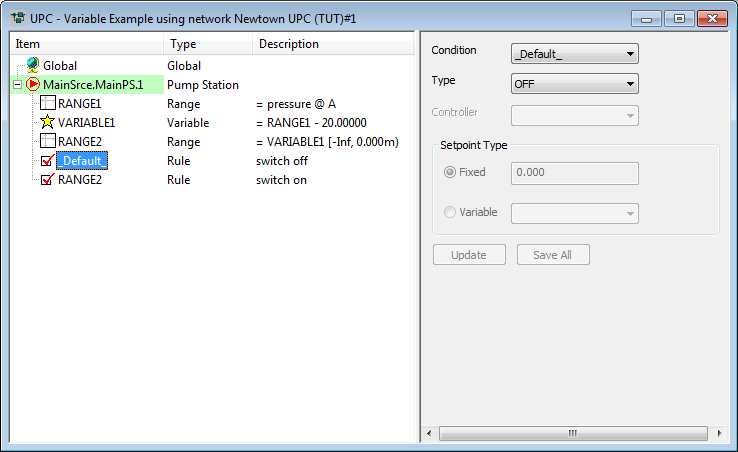
- Rule 1: Unless subsequent rules are TRUE, switch pump OFF.
- Rule 2: If the pressure offset at Node A is less than 0 (pressure at Node A less than 20m) switch pump ON.
This simple example could be modelled without the use of a variable, by using the actual pressure at Node A instead of an offset. For an example of how the use of variables can be extended, see UPC example (three point PRV).