Add a coincident constraint to a sketch
Learn how to use the Coincident tool to constrain the position of two points or a point and a line or curve together in a sketch in Fusion.
Note: The constraint tools are only available in the Sketch contextual tab as you edit a sketch.
Click Sketch > Constraints > Coincident
 .
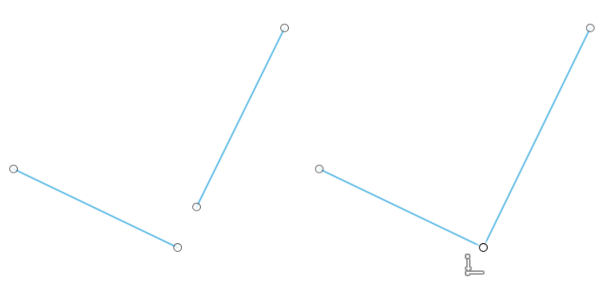
.The Coincident constraint icon displays next to the cursor in the canvas.
In the canvas, select the sketch geometry you want to constrain.
The sketch geometry snaps to coincide together. A constraint badge displays next to the constrained geometry in the canvas, indicating that the geometry is constrained to coincide with each other.