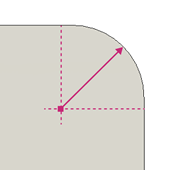
Sheet metal fillet reference
Fusion Design Extension
This feature is part of an extension. Extensions are a flexible way to access additional capabilities in Fusion. Learn more.
Sheet Metal Fillet  rounds thickness edges on sheet metal flanges using a specified radius. The command works only on edges that represent the material thickness of sheet metal flanges.
Design > Sheet Metal > Modify > Sheet Metal Fillet
Selection
Select thickness edges of the sheet metal flanges on the canvas.
Note: Use Window Selection to select multiple thickness edges at once. Drag in either direction to select valid thickness edges inside the window.
Hold Ctrl (Windows) or Command (MacOS) to modify the selection set once the fillet tool preview displays on the body in the canvas.
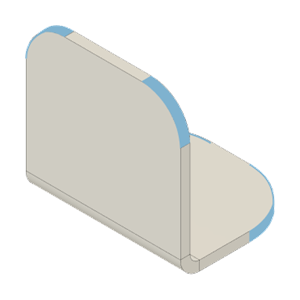
Radius
Specifies the radius of the fillet applied at the sheet metal material corner.