
Product Definition Release Status
Each product published to Informed Design creates a new release. Releases are managed in the Informed Design Web Application.
Each Release of a Product can be 'Active' (available to the Revit user), or 'Obsolete' (unavailable to the Revit user). Multiple Releases can be active concurrently, but only one per-product can serve as the Default.
The web application may be used to make out-of-date releases Obsolete, and to designate which of the available releases is the 'Default' release recommended for designers using the product.
Read More: Product Definition Overview
- If two Product definitions with the same Product name are released into the same project and folder location, they will be releases 1 and 2 of the same Product.
- If two Product definitions with the same Product name are released into the same project and different folder locations, they will each be release 1 of separate products.
- If two product definitions are released into the same project with different Product names, they will each be release 1 of separate products, irrespective of the folder location.
To Change Release Status
- Browse to the product in the web application
- Select the Release
- Edit the products release status
Select a Product in the Web Application
- Select the Account and Project
- Navigate to the Releases tab
- Filter products by folder: for faster loading, specify which folders in the ACC project should be queried for published products.
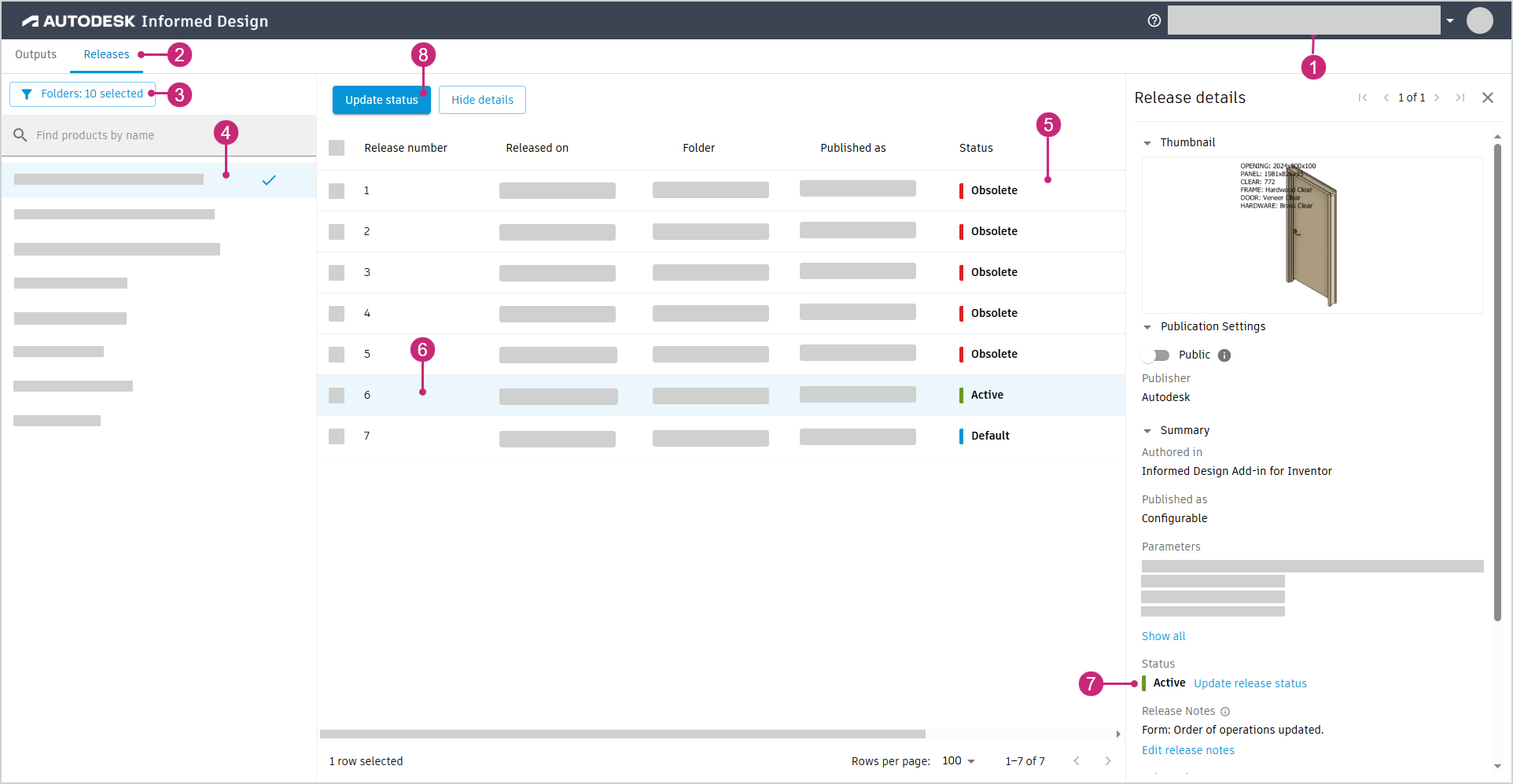
Select the Release
- Select the Product
- (Optional) Review Release Status in the table
- Select the Release Note: Only one product and release can be updated at a time
- (Optional) review the release's current status in the Release details
- Click 'Update Status'
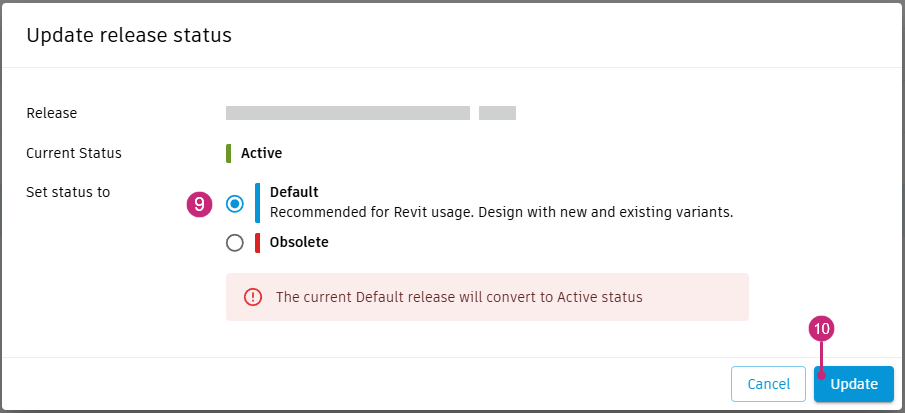
Modify the product's release status 6. 'Set status to' - Obsolete or Active - Default 7. Click 'Update'
Notes:
- Obsolete: These releases are NOT available to Revit users
- Active: These releases are available to Revit users
- Default: This release will be offered to Revit users by default (the default release does not have to be the most recent release)
_Releases with a status of 'Obsolete' are not deleted from Informed Design, and can be returned to an Active status.
Revit family instances of releases whose status has become Obsolete are not deleted from the Revit project.
Designers using these releases in their Revit projects are notified that these Obsolete instances cannot be delivered as specified. These instances must be either updated using an Active release, or deleted._