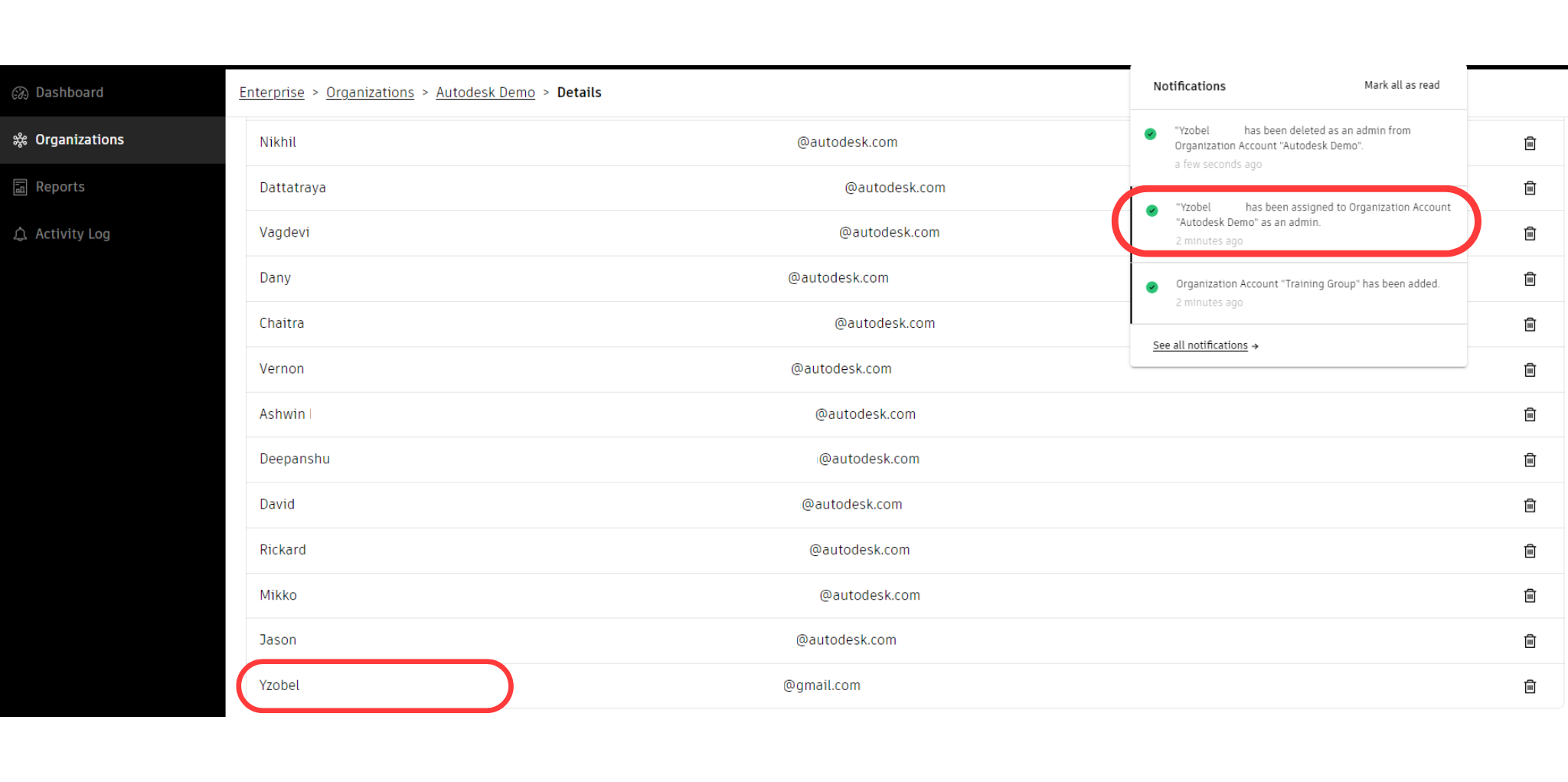
Assigning an Organization Account Admin
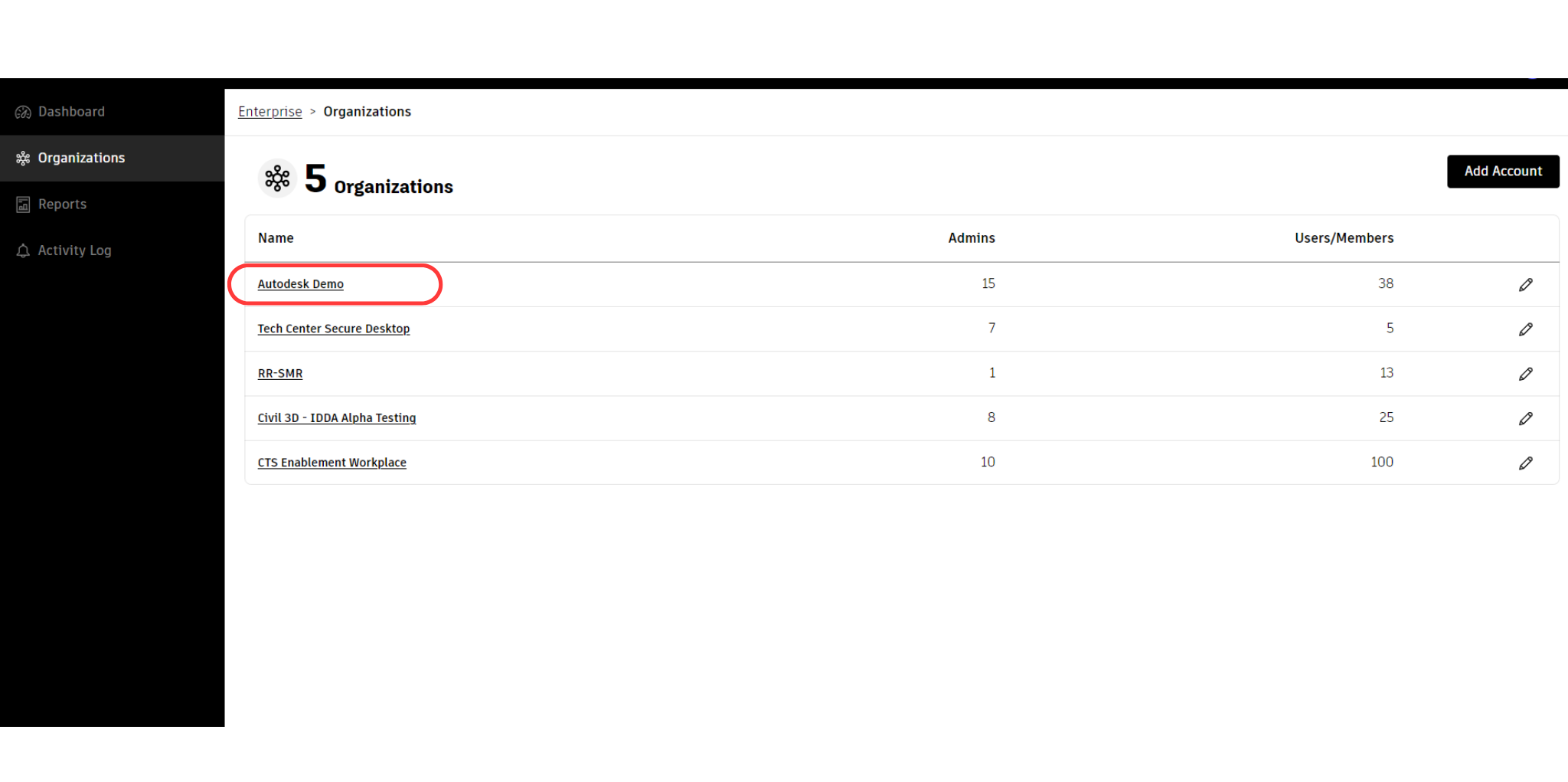
Select the name of the Organization Account from the list.
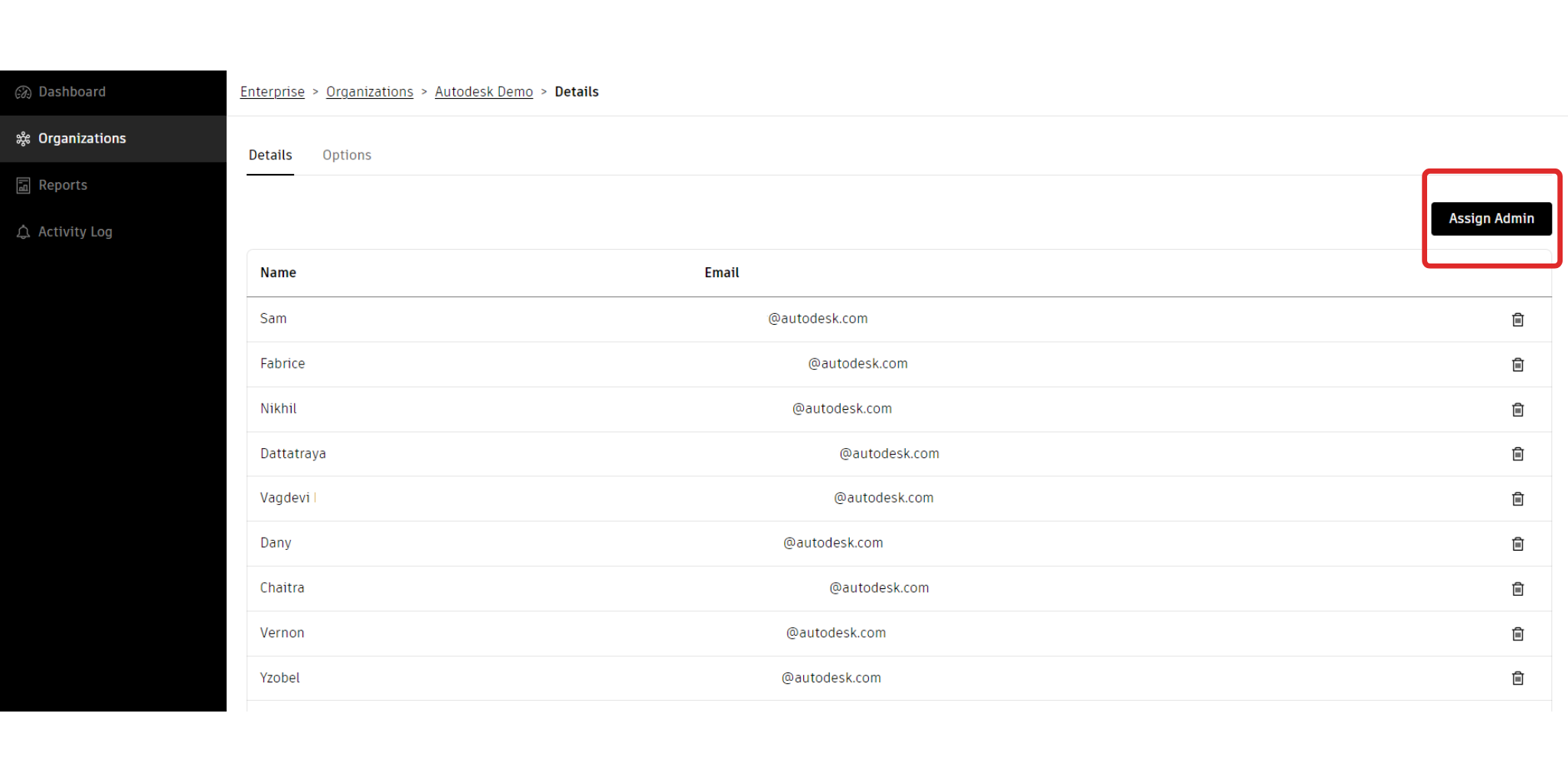
Click on the "Assign Admin" button.
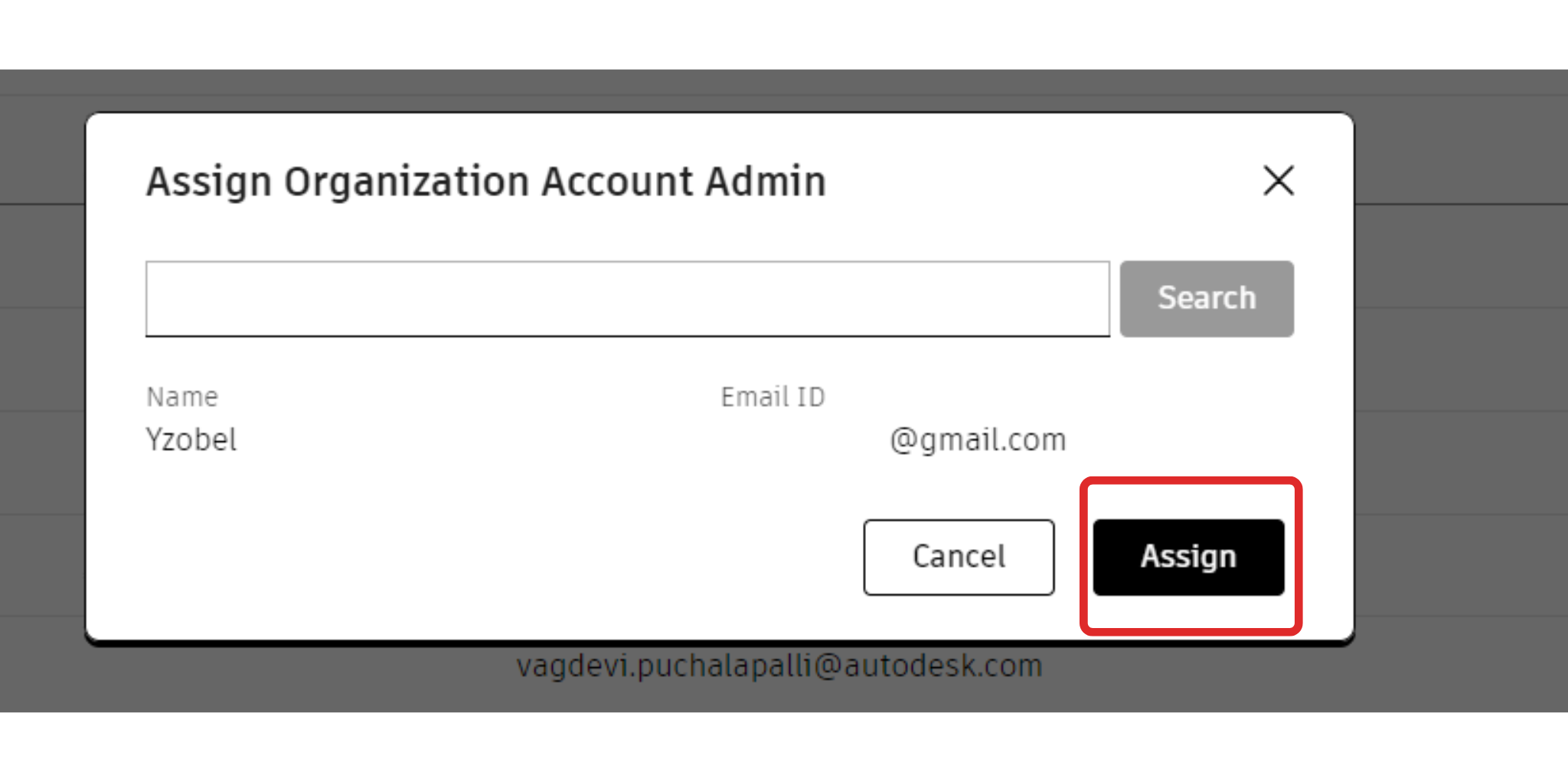
To assign an Organization Administrator (OA), you must enter their email address in the provided pop-up box. Please note that for OAs to access the admin portal, they must be registered with Autodesk Accounts.
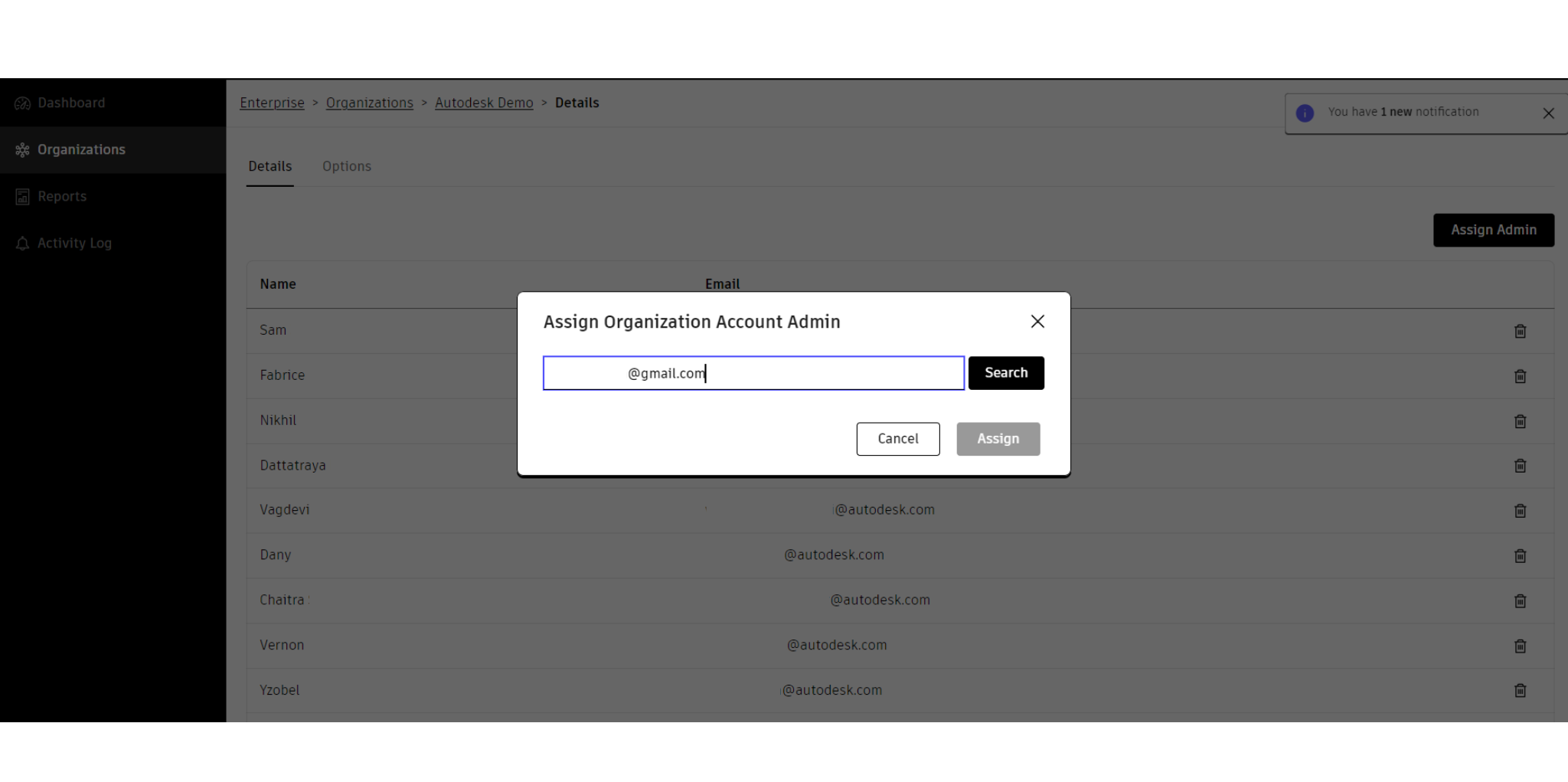
When the system locates the email, click "Assign".
When a user is assigned as an Organization Administrator (OA), they will be notified via email about their new role. The newly appointed OA's name and email address will be added to the admin list within the system interface. The Enterprise Administrator (EA), responsible for assigning the OA, will receive a confirmation notification in the top right corner of the dashboard.