
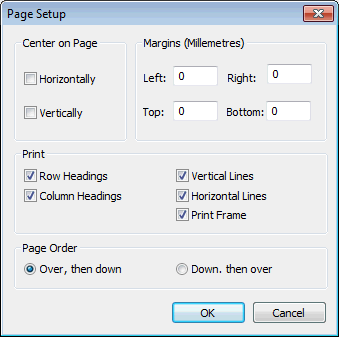
This dialog is used to set up the printing options for the Grid view.
The dialog is displayed by selecting File  Page setup when a grid view is the current active window.
There is no print preview feature on this dialog: you can see a print preview by selecting File Print preview.
There is no custom logo feature on this dialog: you can set the default logo on the Default Logo dialog.
| Item | Description |
|---|---|
| Center on Page | Check one or both boxes to centre the grid on the printed page. |
| Margins | Enter values in millimetres for the left, right, top, and bottom margins of the printed page. |
| Check the box for each item that you want to include in the printout. | |
| Page Order | Choose one of the options. |