Edit the position of features in ports and ducts using grips. Note that features with a status of Removal are not shown in ports or ducts or on mount points.
- Zoom in on the detail so you can see the port or duct points.
If you have not already inserted the detail, use Home tab
 Annotation panelInsert Detail to insert a detail block.
 - Click the feature of interest, grab the grip, and stretch the feature to the new port or duct.
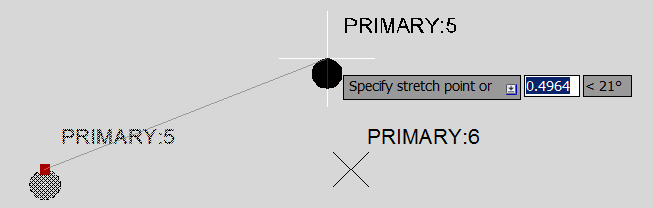
You can move a feature to an empty port or duct or swap positions between occupied ports or ducts.