Learn about new features in this release of AutoCAD Mechanical 2027 toolset. For technical details, see the release notes.
Highlights

Quality improvements
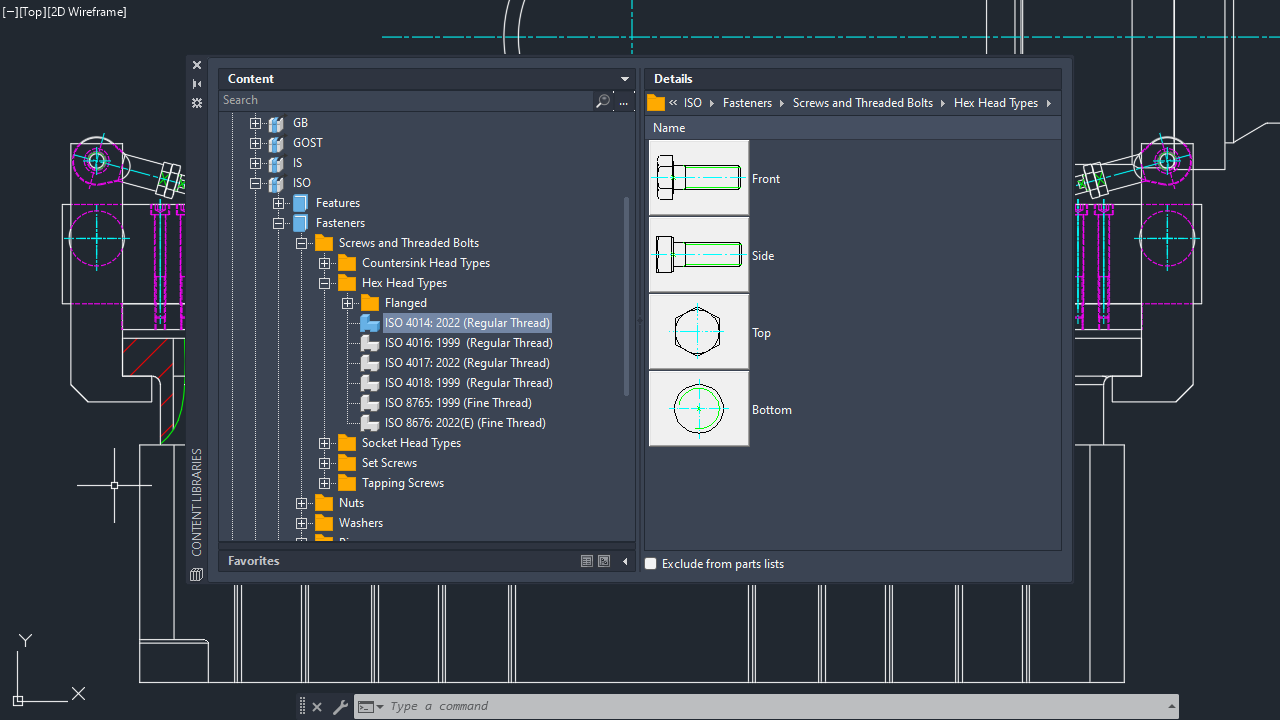
Content Library: The faulty content library proxy element no longer causes crashes.
Downgrade Save: The drawing file version is preserved when saving to the AutoCAD 2000 or AutoCAD LT 2000 format.
Reference Edit: In-place editing of external references that contain symbols no longer causes crashes.
Open and Close: Opening and closing a drawing that contains a DGN underlay no longer causes crashes.
AMSHIDE Command: The Hide Situation dialog box retains its initial size when the command is canceled.
AMSCRIPT Command: Title block exchange is now completed successfully using the AMSCRIPT command.
AMSECTIONLINE Command: You can now snap to points on the section line when copying or moving it.
- Downgrading a drawing to an older format, such as AutoCAD Mechanical 2007, no longer causes crashes.
- Parts count is no longer affected when using the UNDO command.
- Saving the drawing no longer results in errors after creating a new balloon using the Manual Placement option.
- The custom parts list is now updated whenever a new part is inserted into the drawing.
- The dot small blank arrowhead no longer produces errors during copy, clip, or save operations.
- Editing the overall dimension scale property no longer produces errors.
Open and Save/Save As: When a drawing is opened in AutoCAD Mechanical 2027, the command line displays the AutoCAD Mechanical file format in which the drawing was last saved.
Additional enhancements and changes
Layout Tab Switching Performance: Improvements were made to reduce the amount of time it takes to switch layout tabs.
3D Graphics System Enhancements: The 3D graphics system (GSF), controlled by the FASTSHADEDMODE system variable, now provides a more stable and efficient experience. These updates improve visual fidelity by better supporting large coordinates, occluded edges, materials, lights, textures, shadows, sky, and backgrounds. Additionally, the Realistic (Fast) visual style is now on by default.
Removal of Support for AutoCAD Web & Mobile: The Open From Web & Mobile (OPENFROMWEBMOBILE) and Save To Web & Mobile (SAVETOWEBMOBILE) features have been removed from this release. If you previously saved your drawing files to AutoCAD Web & Mobile, it's recommended to utilize Forma Data Management to store and access drawing files anywhere.
Removal of Shared Views: The Shared Views feature has been removed from this release. If you previously used Shared Views, it's recommended to utilize Forma Data Management to store and share drawing files with others.
Push to Forma Data Management Replaces Push to Autodesk Docs: The Push to Autodesk Docs feature has been updated to Push to Forma Data Management. New commands and system variables were introduced to display and close the Push to Forma Data Management palette.
Removal of Support for the MrSID Image Format: Image files saved in the MrSid format can no longer be attached to a drawing file. MrSID images will need to be saved to a supported file format and reattached.
Removal of Support to Create a PostScript File: The PSOUT command has been removed in this release and the EXPORT command no longer supports the ability to export to the format. If you need to create a PostScript file from a drawing, configure a PC3 file according to the output needed.