
You can visually distinguish team members that own elements in a workshared project.
To visually distinguish element owners
- On the View Control Bar, click


 Owners.
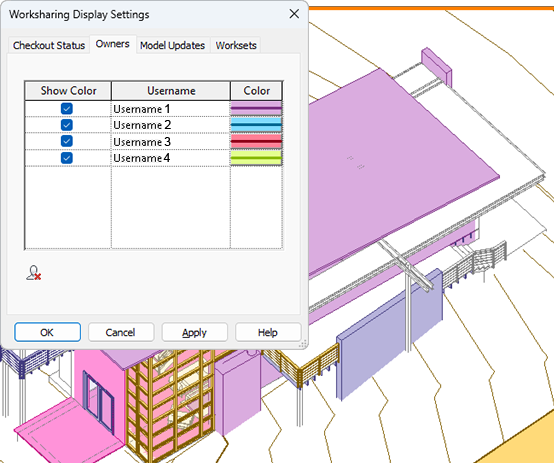
 The owners are visually identified by color in the model.
Note: Colors assigned to owners persist until the user is removed. By default, all owners that have modified the central model are listed.
To assign color to element owners
- On the View Control Bar, click Worksharing Display Settings.
- Click the Owners tab.
- Select Show Color for the desired username.
- For each username, click Color. In the Color dialog, select the color to use and click OK. See Colors.
- Click Apply.
The specified color for the corresponding owner displays in the model.
To remove a username, select the username and click
 (Remove User). You can only remove users that no longer own elements or worksets.