
Reflection Menu Settings
Controls Menu
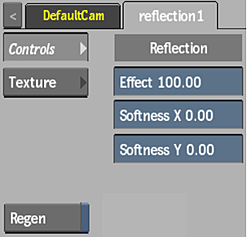
Effect field
Displays the amount of diffuse colour.
Softness X field
Displays the amount of X-axis blur applied to the diffuse map.
Softness Y field
Displays the amount of Y-axis blur applied to the diffuse map.
Regen
Enable to dynamically refresh the image as changes are made to the settings.
Texture Menu
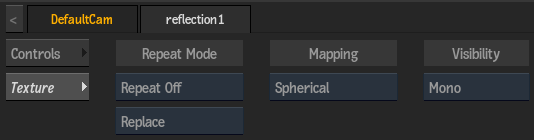
Repeat Mode option
Select how the map pattern is repeated on the surface.
Add/Replace option
Select whether to add or replace the reflection map to the diffuse colour.
Mapping Type option
Select the type of texture map used, to help create the reflection effect.
Camera Type option
Select the camera type visibility for the map. For example, you can use this setting to apply a Left Eye and Right Eye camera type for two maps that are children of the same surface or geometry in a stereo scene.