
Make a project template available for use
Note:
For users with Fusion connected sites, references to the 'Items' workspace should be the 'Components' workspace.
The Status tab of an engineering project template contains the workflow.
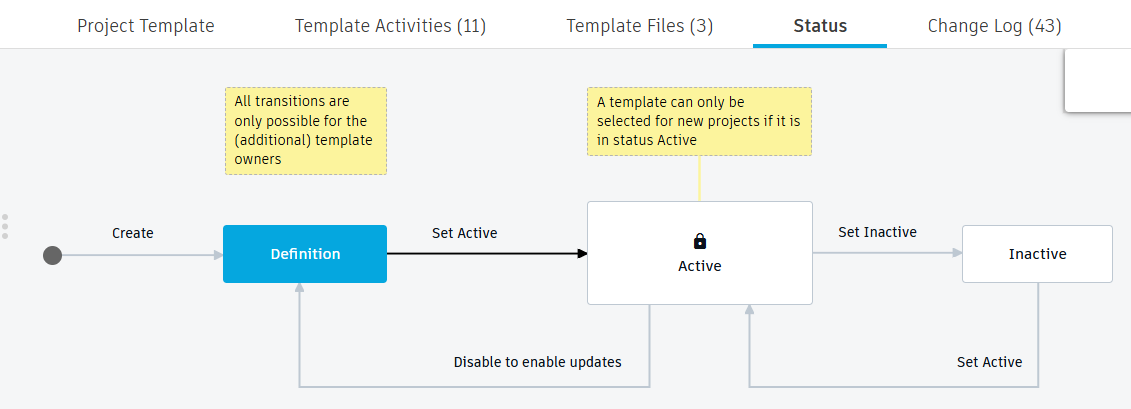
There are 3 states for the template:
- Definition – In the process of being defined
- Active – Available (updates can no longer be made)
- Inactive – No longer used
Click the Set Active transition to move the template to the Active status. The template may now be used when creating projects.
Note: You must be the template owner (or co-owner) to click any workflow transition.
Additional workflow options
You may need to make changes to the template before using it again. This may have come from a Lessons Learned session at the end of a project. To edit a template, you must move it back to the Definition state. Click the Disable to enable updates transition.
You may want to reinstate a template that was made inactive. To do so, click the Set Active transition.