
Share Fusion Manage productivity tips with your team
Fusion Manage requires a separate license and can be used with Fusion or independently. Learn more.
Updated features and workspaces described in this topic are being rolled out gradually to customers. Contact your Autodesk representative for more detail.
Ensure your team has the best Fusion Manage experience. Try these tips as you begin generating data. These tips help you navigate and manage your site data.
Set up custom workspace views
You can create custom views for each workspace. Specify which fields to show in the item list. Apply filters to the list. You can export filtered results to Excel.
Recommendations
Refer to Work with custom views to learn more on how to create custom views.
As an example, you may want to include the Progress information as a visual way to track each change order.
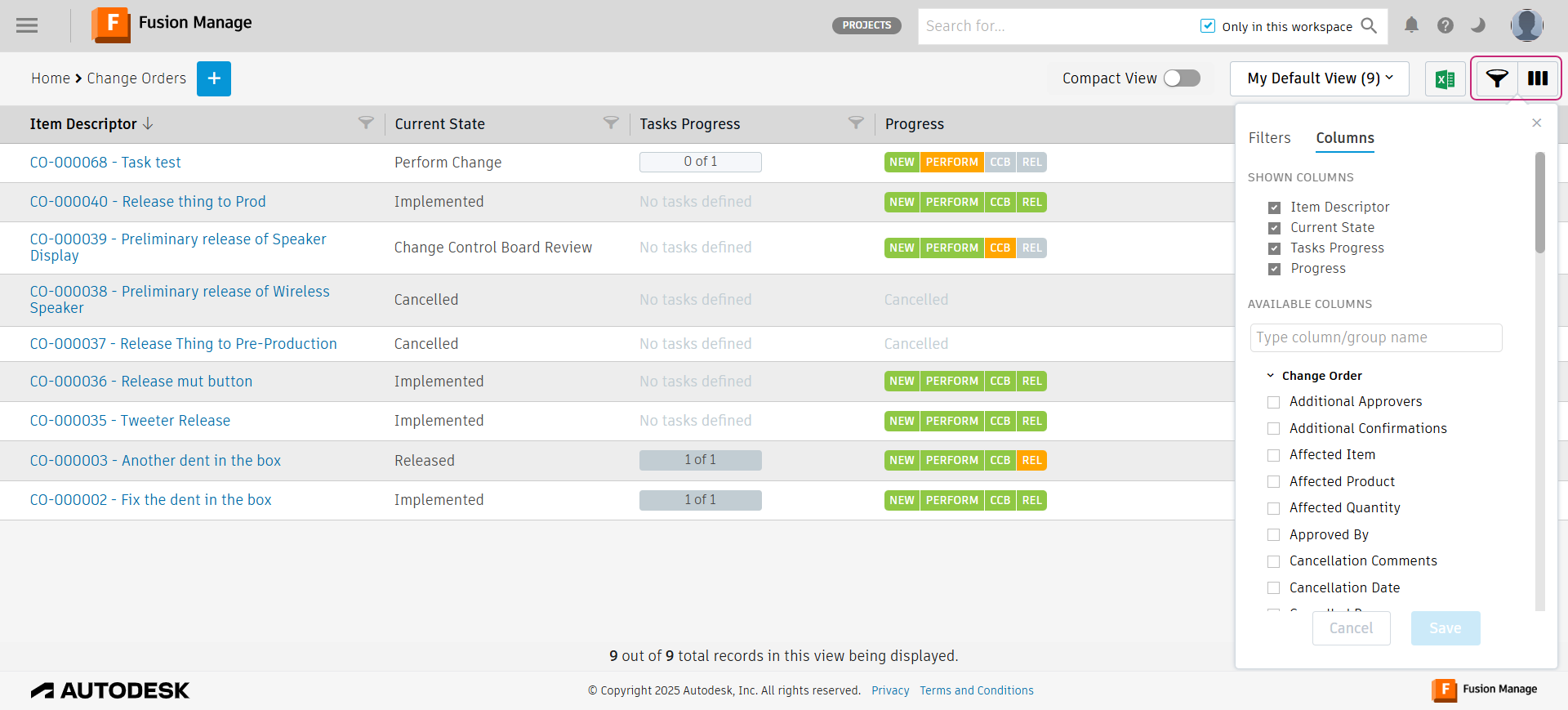
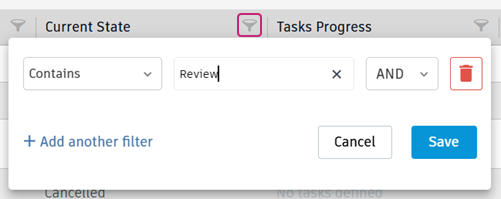
After adding the required columns to the view, click the filter icon on any column heading to then filter the table by a specific value.
Use the Export to Excel option to share key workspace information to those who may not have access to that workspace.

Bookmark an item
The My Bookmarked Items section on the main dashboard shows your important and favorite items. The list includes items from all accessible workspaces. For bookmarking instructions, see Work with bookmarks.
Recommendations
- Bookmark items that you need to access quickly and often.
Bookmark a workspaces
You may visit specific workspaces often. Bookmark them for quicker access.
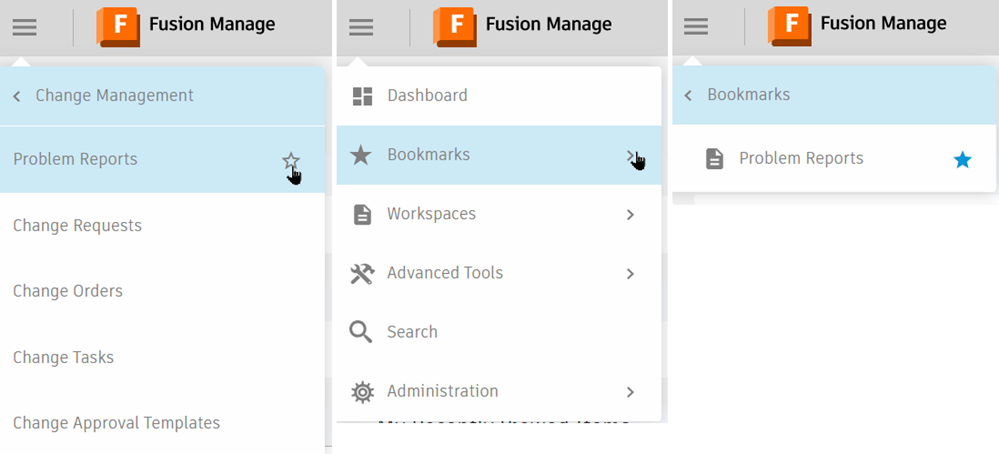
In the Navigation menu, locate a workspace you want to bookmark. Click the star icon. Find your bookmarked workspaces in the dedicated Bookmarks section of the Navigation menu.
Recommendations
- Bookmark workspaces you will visit often.
Archive an item
Use the Archive option to deactivate an item in a workspace. The item stays in the database with Archived status. It no longer appears in your default workspace list. To view archived items, toggle on the Show only Archived Items filter in your workspace view.
To archive items in Components and Drawings workspaces, add the Delete Item permission to the Editor [Components] and Editor [Drawings] roles.
See Archive an Item for instructions.
Recommendations
- Archive items that are no longer needed to tidy up the items in a workspace.
- Review the Editor [Components] and Editor [Drawings] roles to determine if all users with these roles should be able to archive items and consider creating separate roles to be able to do this.
Use test users for testing and training
You might find it helpful to use test users to see what your team members see when you make a change to a setting.
Recommendations
- Use an email generator where you can access the inbox, such as Yopmail, that you can invite to your site for testing and training. Then, assign a license to the test user temporarily and log in on a separate computer or a private browser to be able to see results of your settings.