This page displays a detailed area of interest for the selected Manifest Deployment.
It is opened by:
- Clicking on an area of interest (polygon) in the Overview page associated with the selected manifest deployment.
- Using the
Open associated button (
 ) of the
Overview toolbar and clicking on an area of interest.
) of the
Overview toolbar and clicking on an area of interest.
By default the results displayed on the network page will be automatically updated on completion of a run. Automatic updating can be turned off, or set to update after automatic runs only or after manual runs only, using the update control on the Manifest toolbar.
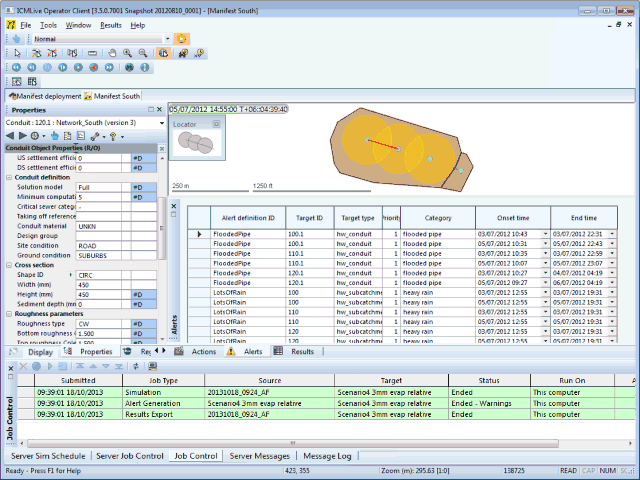
The GeoPlan Window displays a detailed map of the network belonging to an individual area of interest. All network objects are displayed in the GeoPlan Window.
- Click an object in the GeoPlan window using the
 tool to select the object. Hold down the
CTRL key to select multiple objects.
tool to select the object. Hold down the
CTRL key to select multiple objects.
- Click an object using the
 tool to display the
Object Properties Window for the object.
tool to display the
Object Properties Window for the object.
- Right-click on the GeoPlan window to display a context menu containing options to control the map display.
See the GeoPlan Window topic for further details on using the GeoPlan Window.
There are a number of windows displayed in the Network Page. See the Tour of the Workspace topic for further details and links related to these windows, or alternatively, click on the links below.