
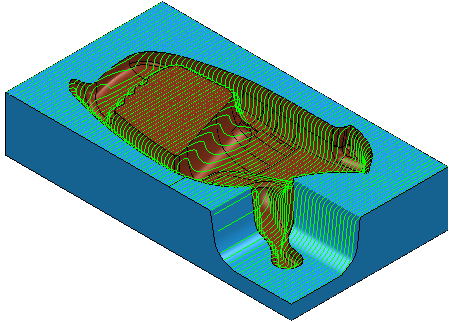
Raster finishing creates a toolpath by taking a pattern of curves, within a boundary, and projecting points from these curves onto the model.
Raster toolpaths are often used on open parts and are best-suited to rectangular models. This is a robust machining strategy that works well on many models except for areas that are vertical (or near-vertical).
This strategy supports Boundary curves.
The availability of this strategy depends on the machining function you are using.
The Raster finishing strategy is available for the following machining functions:
PartMaker/SwissCAM and PartMaker/Turn-Mill
- Mill XY Plane
- Mill 5-Axis Plane
- Mill ZY Plane
- Mill End, Polar
PartMaker/Mill
- Mill XY Plane
- Mill 5-Axis Plane
- Mill 4-Axis Plane
On the Strategy dialog, the following pages are available for the Raster finishing strategy:
- Raster finishing — The main page for defining a raster finishing toolpath.
- High speed — Settings to create arcs in internal corners to eliminate sudden changes in tool direction which is essential for high speed machining.
The remaining pages are common toolpath creation controls.